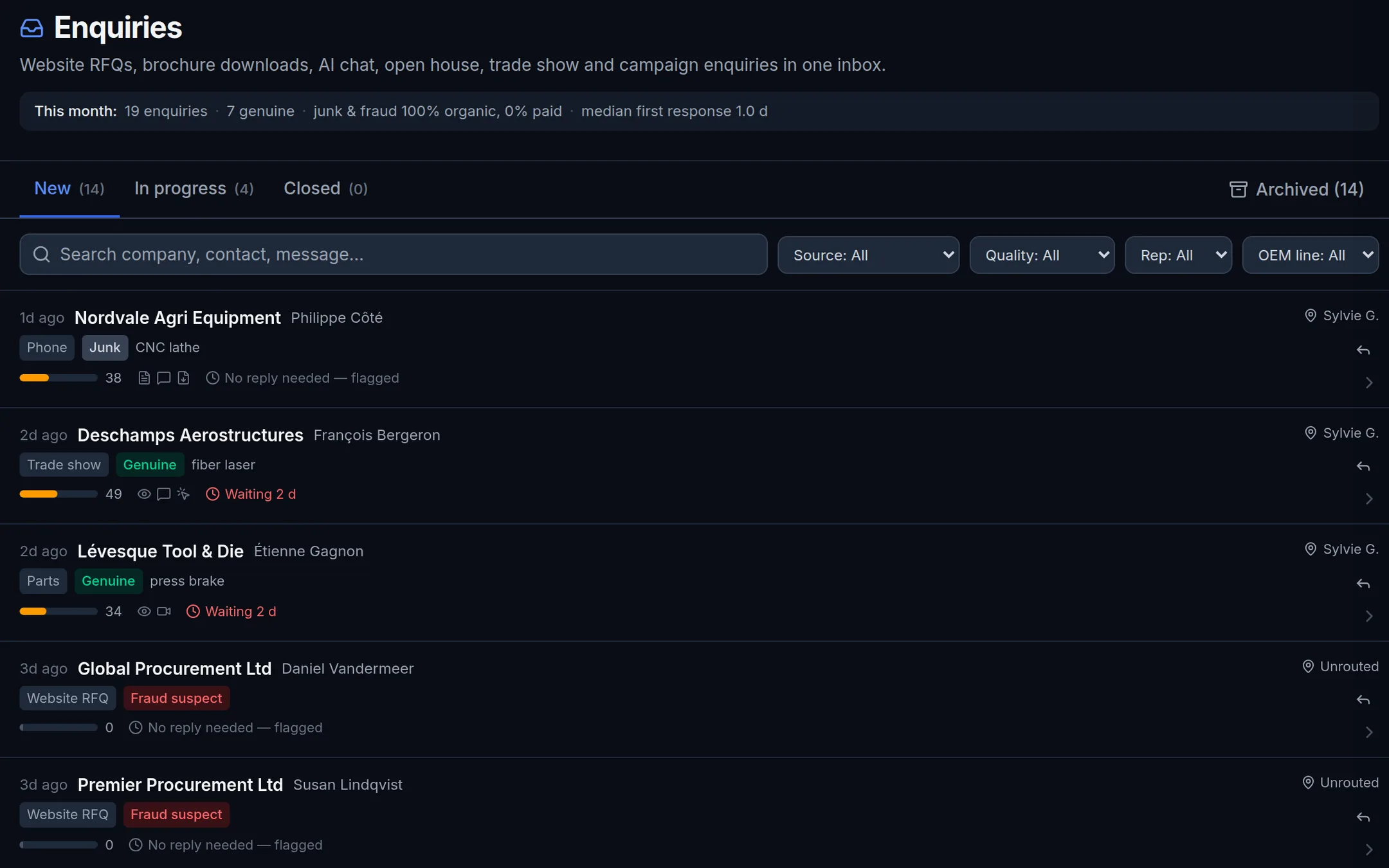

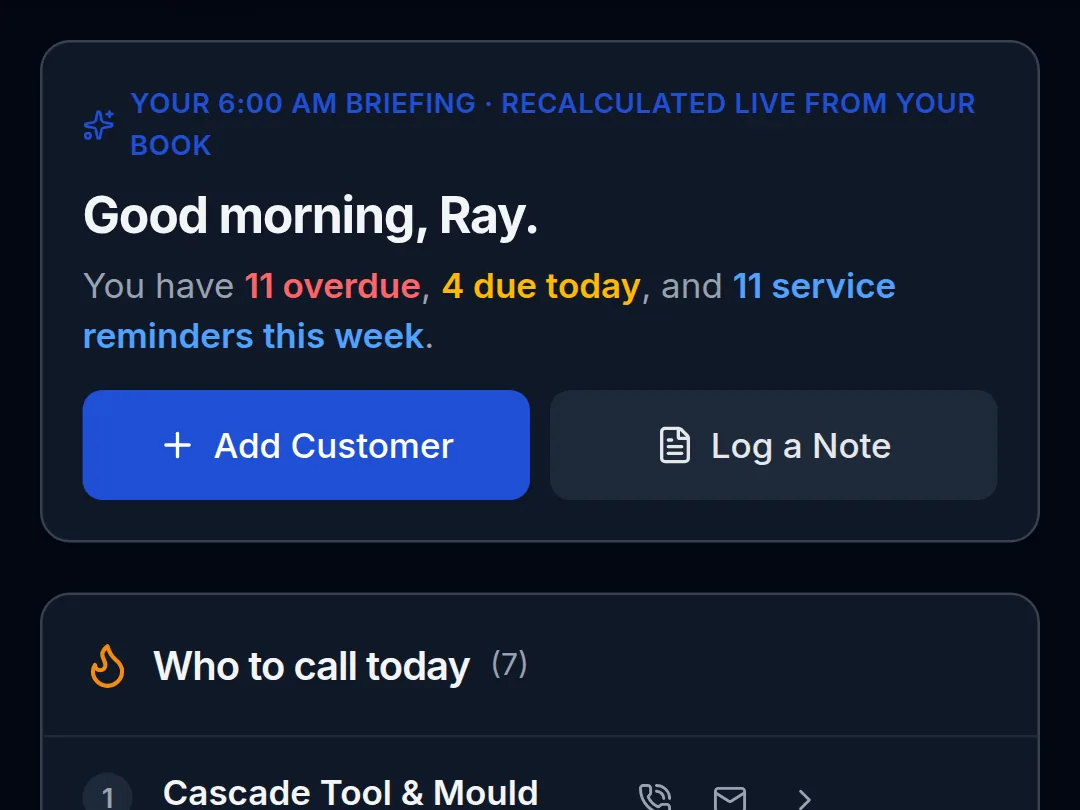
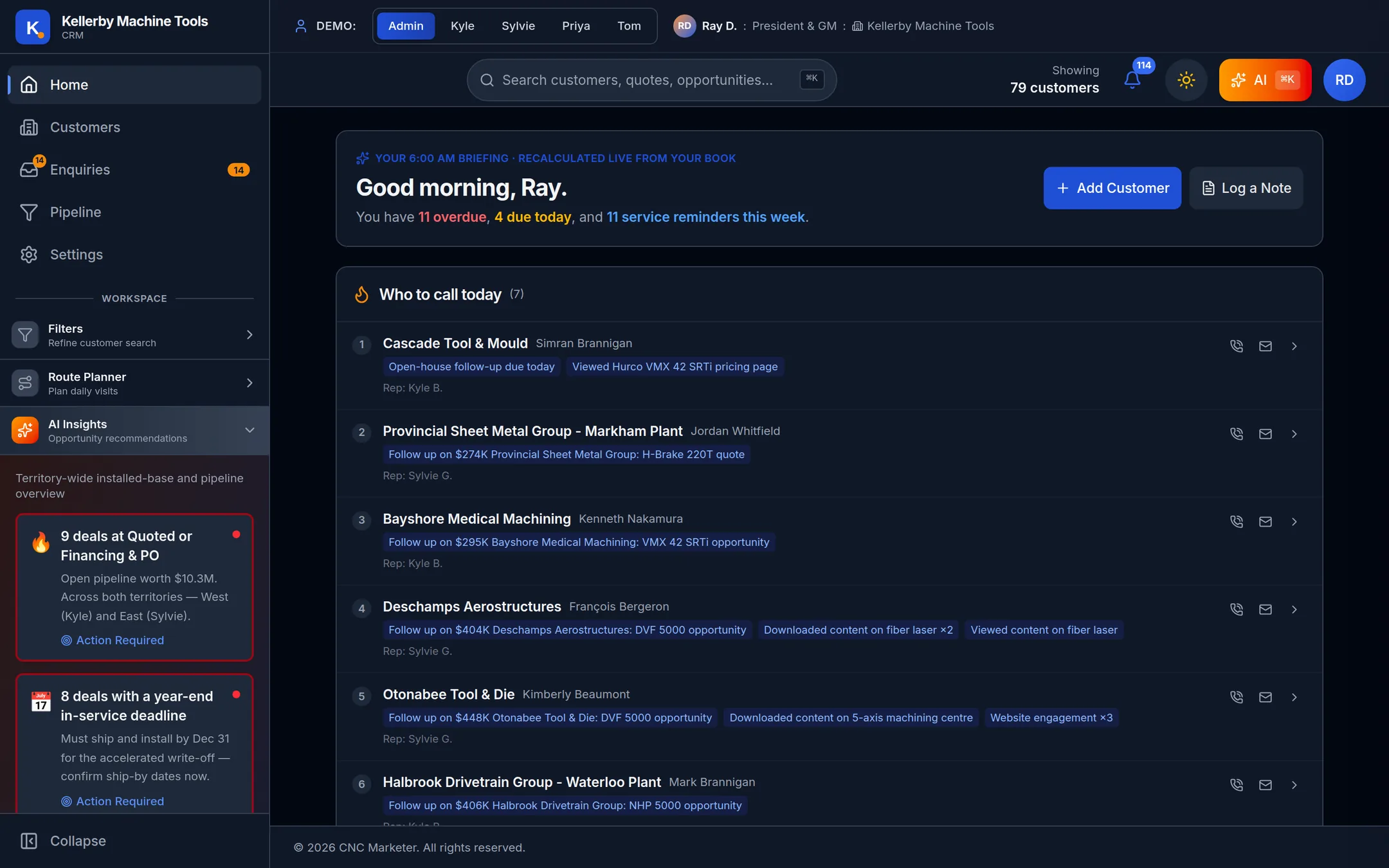
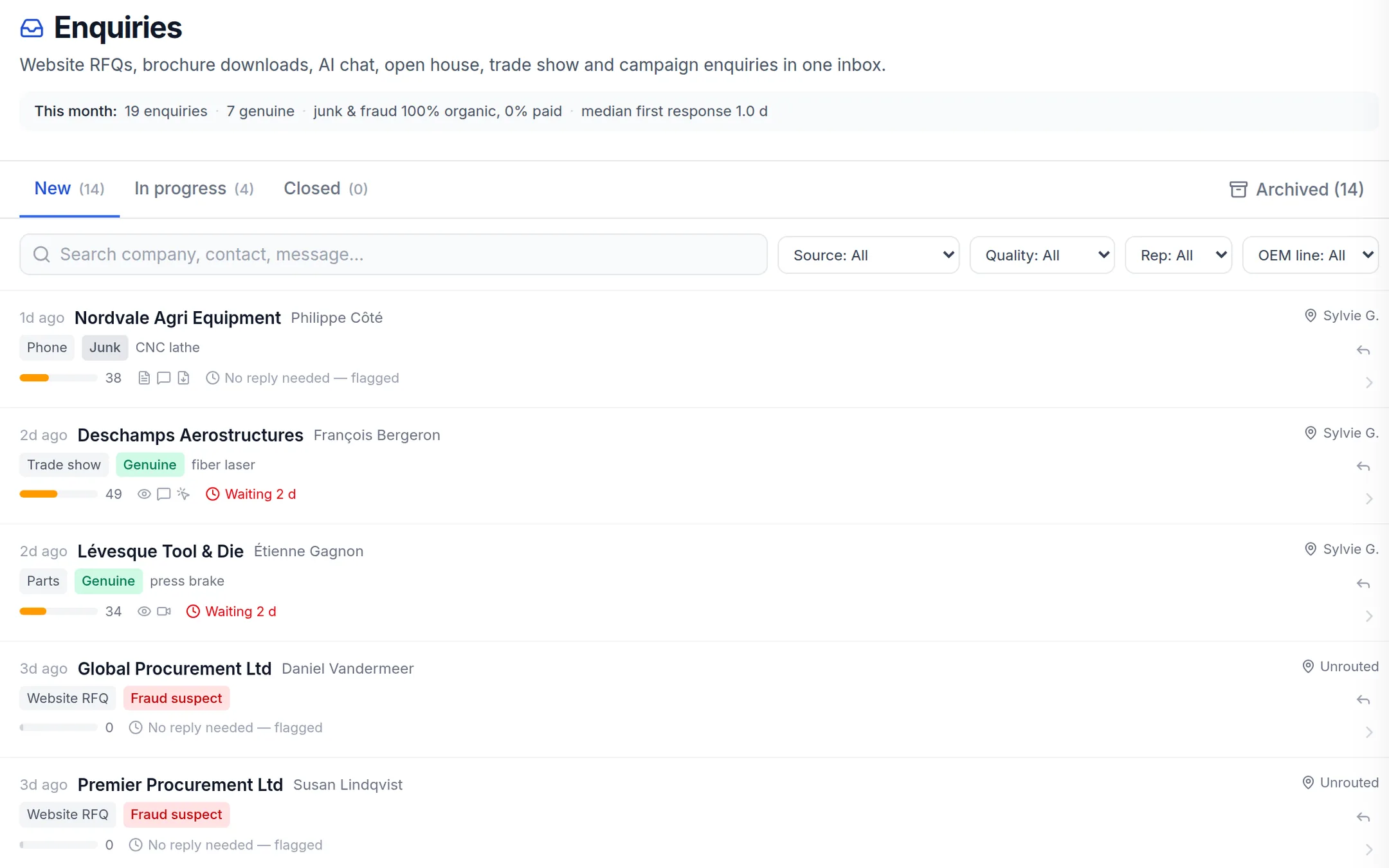
Every inquiry in one inbox
Website, chat, trade show and phone. Junk and fraud flagged, a response clock on each.
crm-demo.cncmarketer.com
Dealer CRM
For CNC machine dealers, built around your lines, territory and sales process: installed base, test cuts, trade-ins, leases.
Follow one shop through a dealer's week, from brochure download to test cut. Five and a half minutes, with sound.
Somewhere in your territory, a shop is running a fifteen-year-old machining center. Your tech saw it struggling last month. This week, they downloaded your brochure twice. Who on your team knows? An off-the-shelf CRM won't tell you. It tracks a name and a deal, not the machines on a customer's floor. So the real system lives in inboxes, spreadsheets and your best rep's memory. And when that rep leaves, it leaves too.
On screen: An older vertical machining center on a shop floor, “15 years in service”. A tech's note and two brochure downloads arrive. A plain CRM account has no place for the machines; an inbox, a spreadsheet and a sticky note stand in, and the note lifts away.
This is the Dealer CRM from CNC Marketer. We've worked with machine tool dealers for years, and we know where sales slip through. We don't sell a CRM off the shelf: we build it around your dealership. Here's one week at a sample dealer, and that shop.
On screen: “The Dealer CRM. Built only for CNC machine dealers.” over a shop-floor photo, then the week, Monday to Friday, and the sample shop: Thornfield Precision, three machining centers, the oldest from 2011.
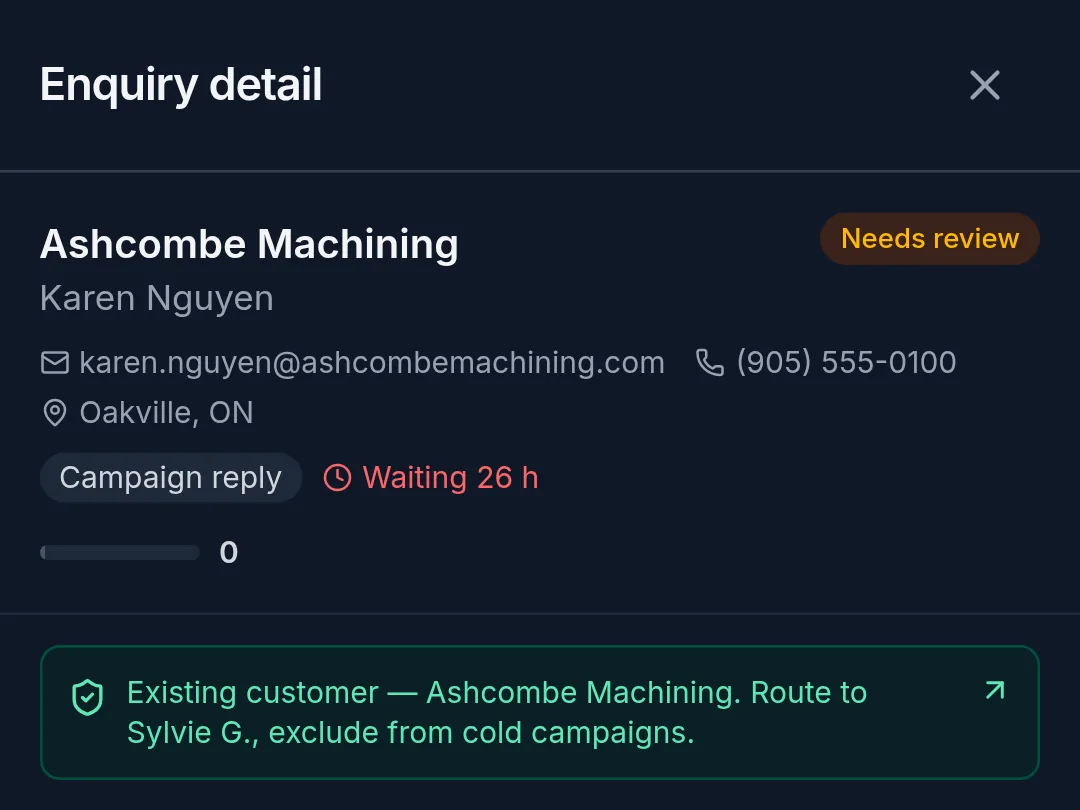
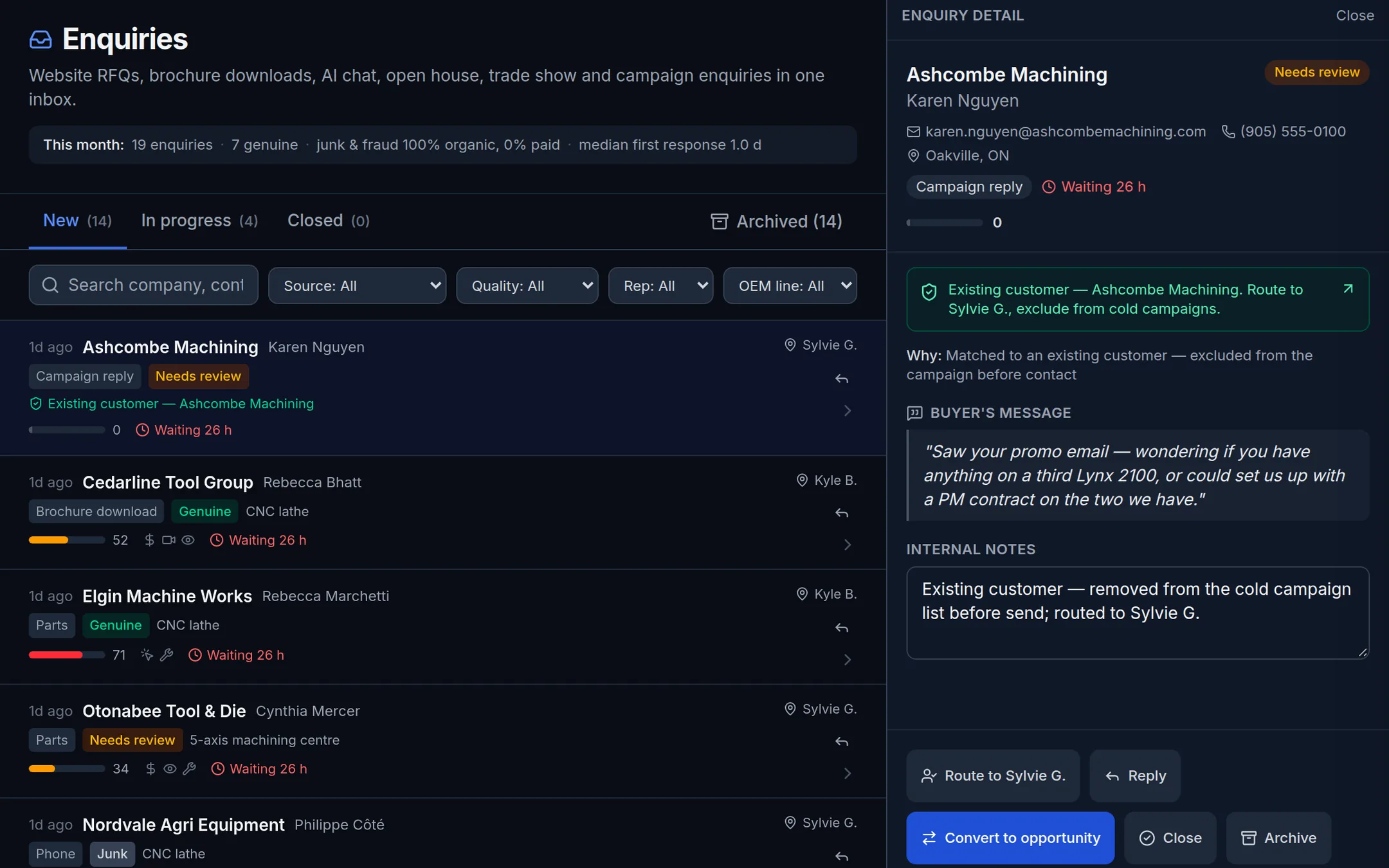
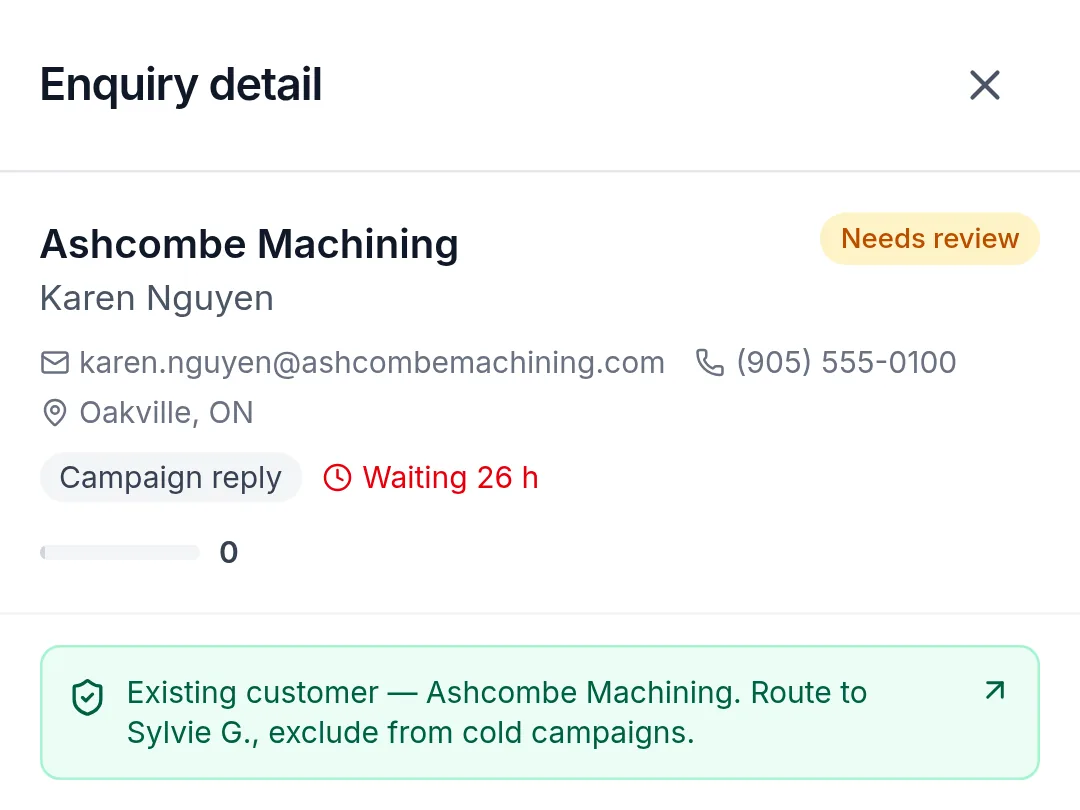
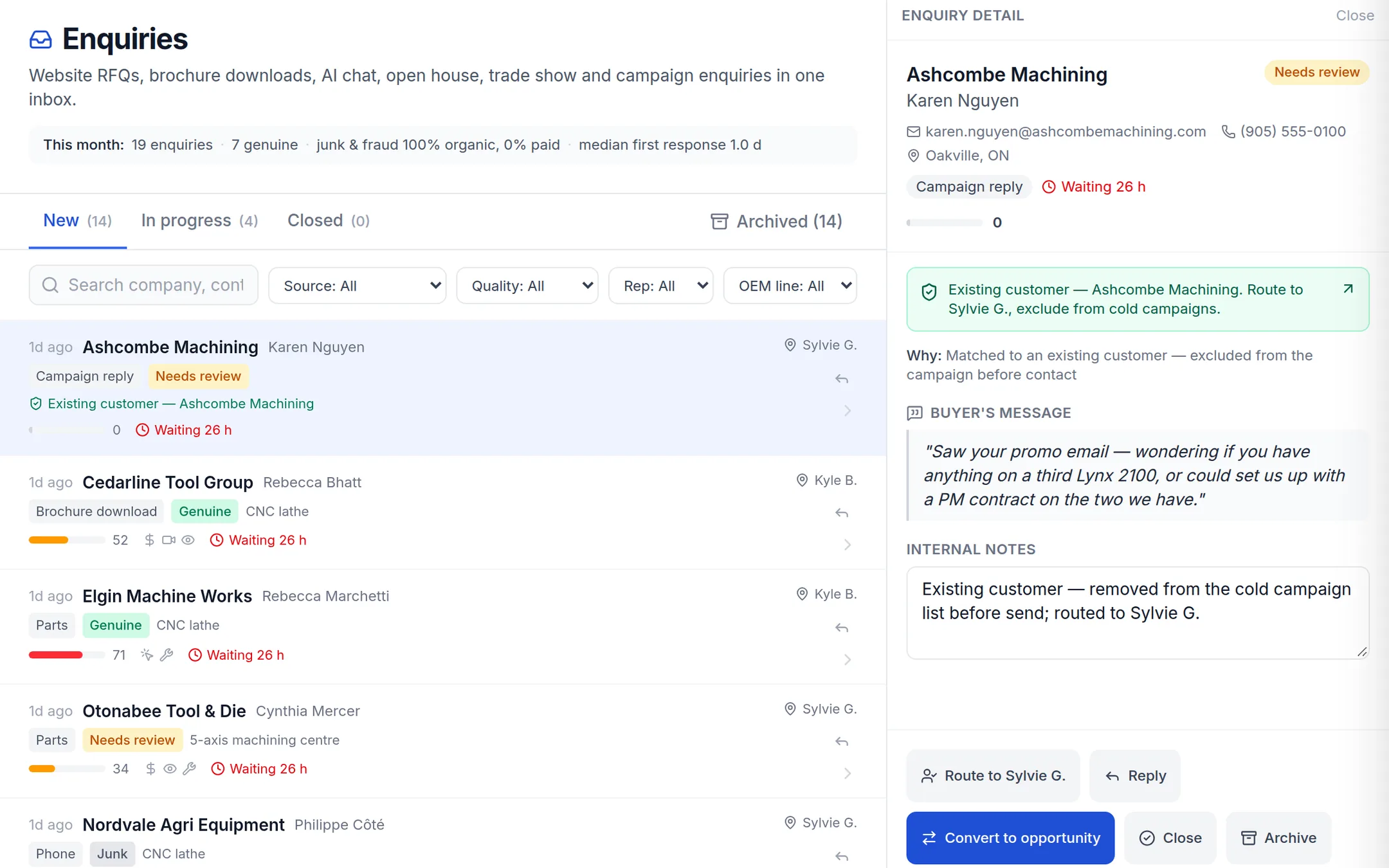
Monday morning. Every inquiry lands in one inbox, already sorted: a quote request on a five-axis to sales, a spindle alarm to service, a part number to parts. Spam and scams are set aside. A customer you already know goes straight to their rep. And if nobody answers in time, the sales manager hears about it.
On screen: The inquiries inbox: new inquiries drop into Sales, Service, Parts and Set aside. Thornfield's goes to its rep, Kyle B. One inquiry's clock turns amber, then “Sales manager told”.
And you can see where each one came from. A new shop, Garrison Tool and Gauge, clicked your ad: here's the campaign, and the keyword. They spent two minutes on the five-axis page, scrolled to the end, then asked for a quote. Your rep calls back knowing what they want. Thornfield came back through a search, and downloaded the same brochure twice, so its warm score climbs. When your website runs on our Dealer Website and Sales Platform, the two are connected: each website inquiry arrives with that trail. And the source stays on the deal, all the way to the PO.
On screen: Garrison's inquiry: from a paid ad, with its campaign, its keyword and the pages it read before the quote request. Thornfield's record: organic search, two brochure downloads, its warm score rising. A machine page on the Dealer Website & Sales Platform, connected to the CRM inbox. A new deal that keeps its source.
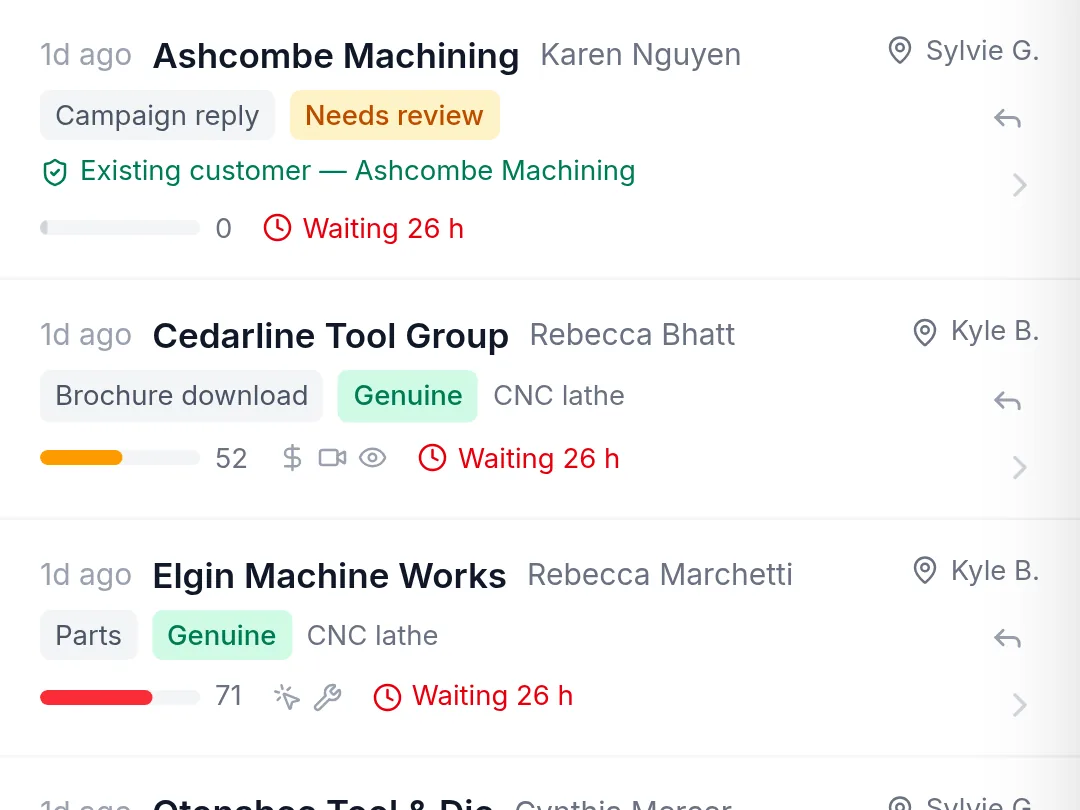
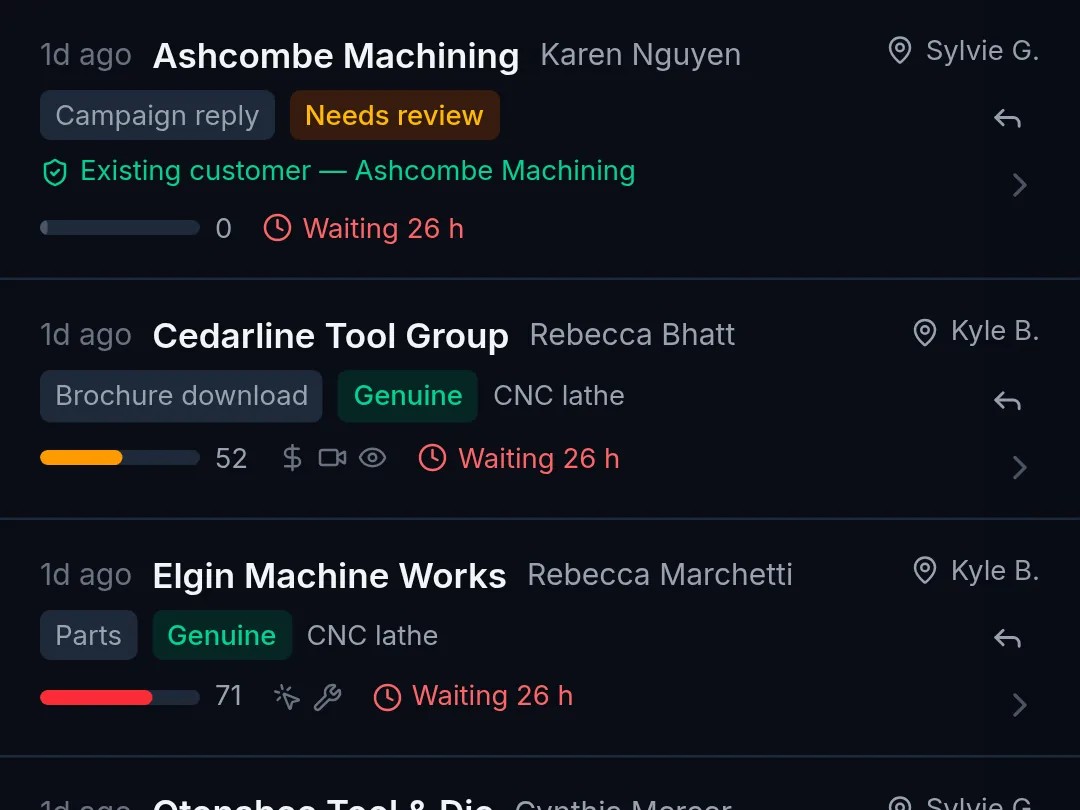
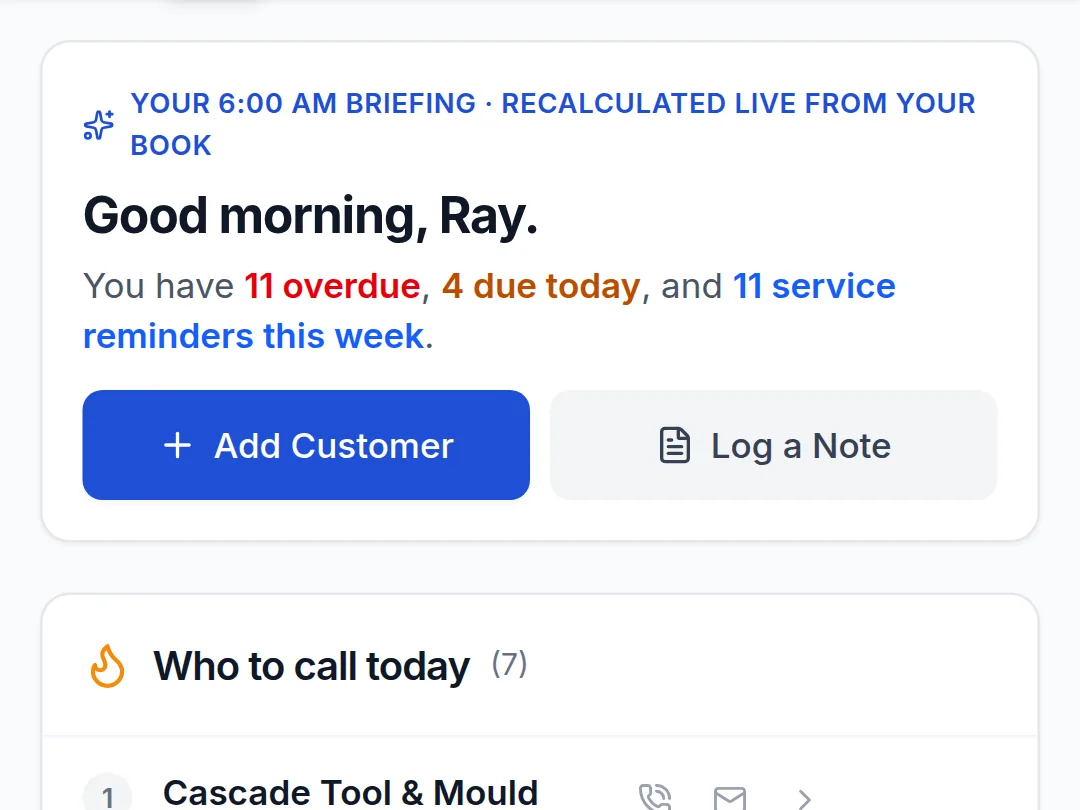
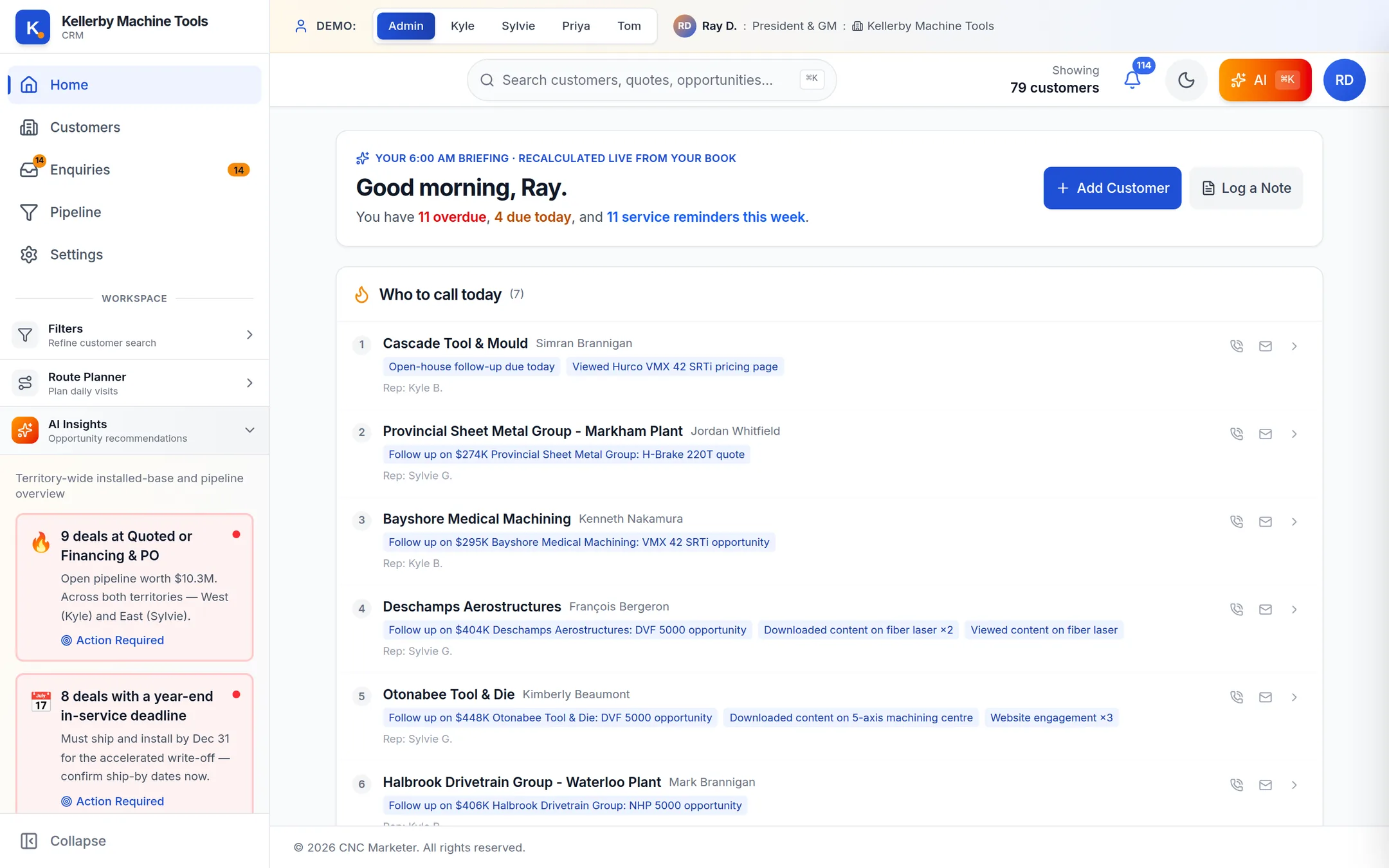
Each rep starts the day with their list: who to call, and why. A follow-up due. A quote that went quiet. And Thornfield Precision: two brochure downloads, three machines over twelve years old, and no sales visit since spring.
On screen: Kyle's list for the day, each row with its reason, and the same list on his phone as a 7:30 email.
Tuesday, on the road. Kyle's route takes in every shop with an older machine and no sales visit in ninety days, Thornfield first. Back in the truck, he talks instead of typing a call report, and the CRM writes it up: the summary, the tasks, the follow-ups with dates. Nothing saves until he checks it.
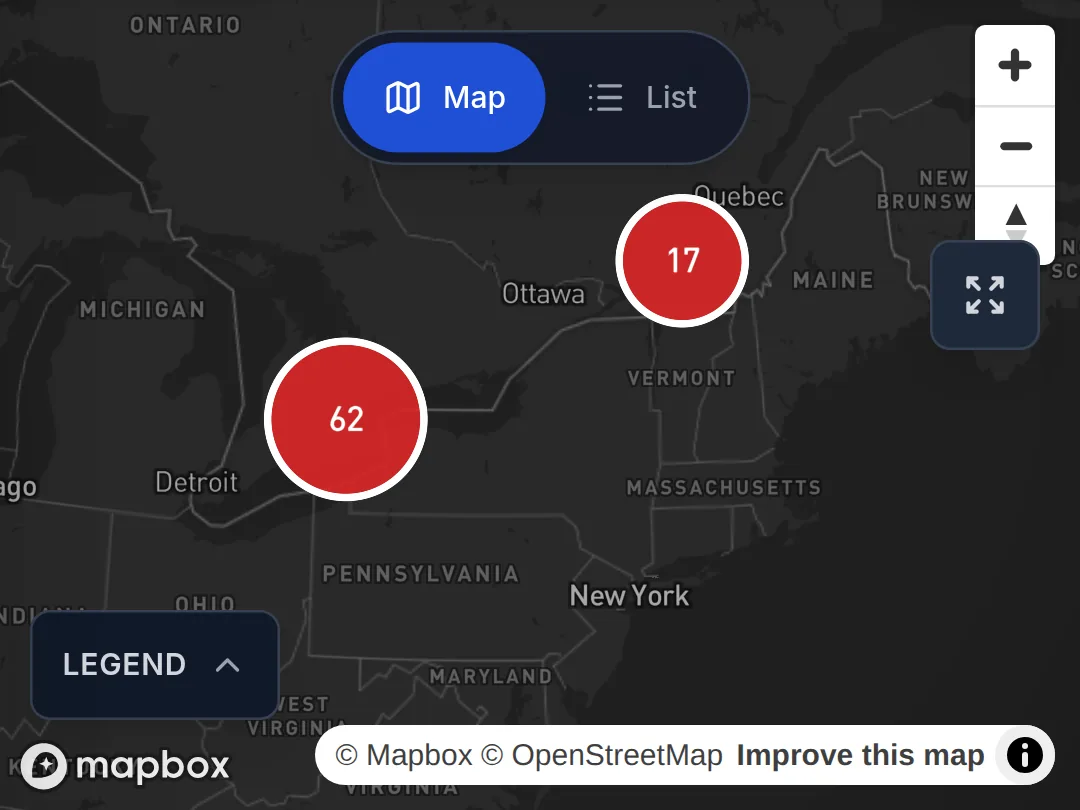
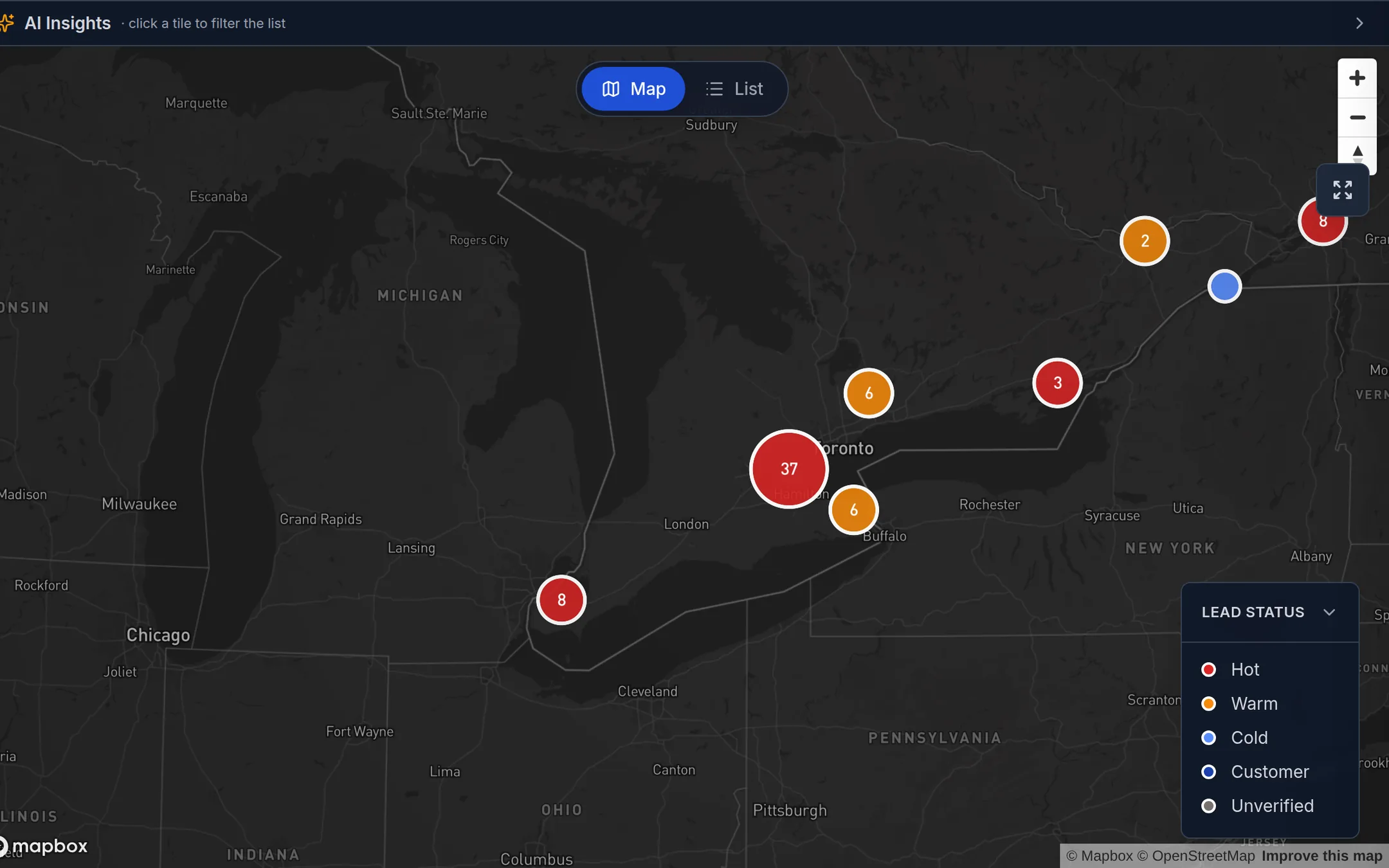
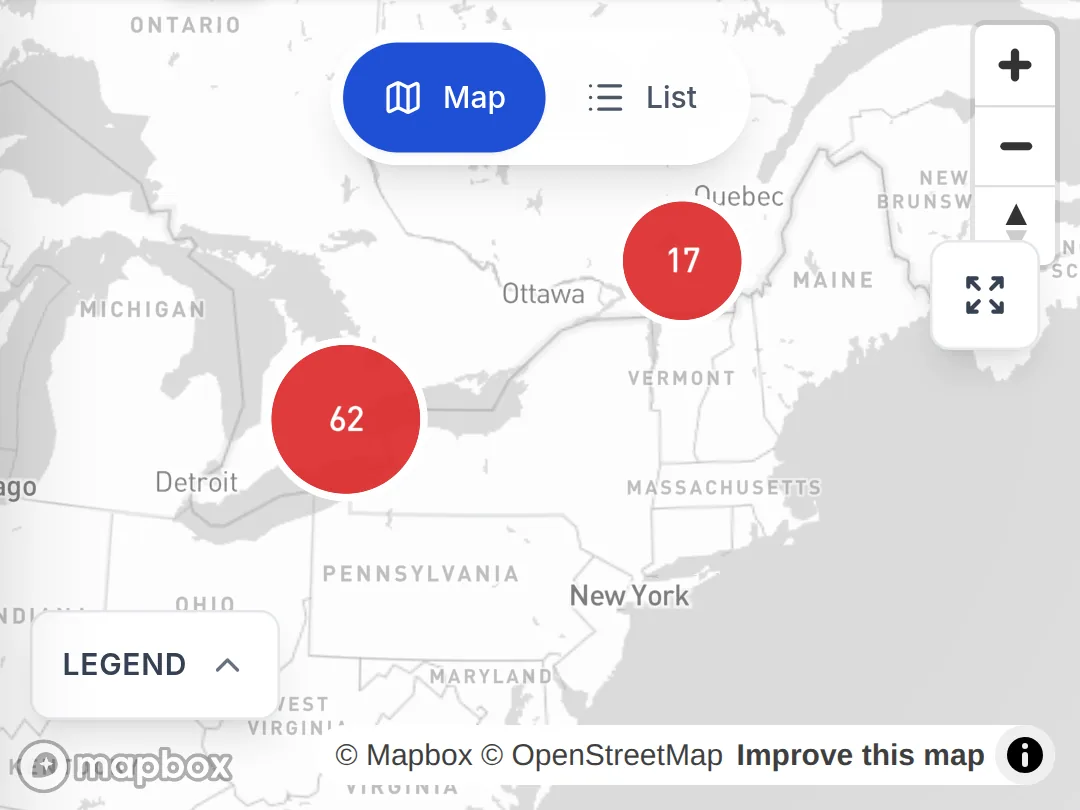
On screen: The territory map filtered to older machines with no recent visit, and Kyle's route with Thornfield first. On his phone, a spoken call report becomes a summary, a task and a dated follow-up, checked before saving.
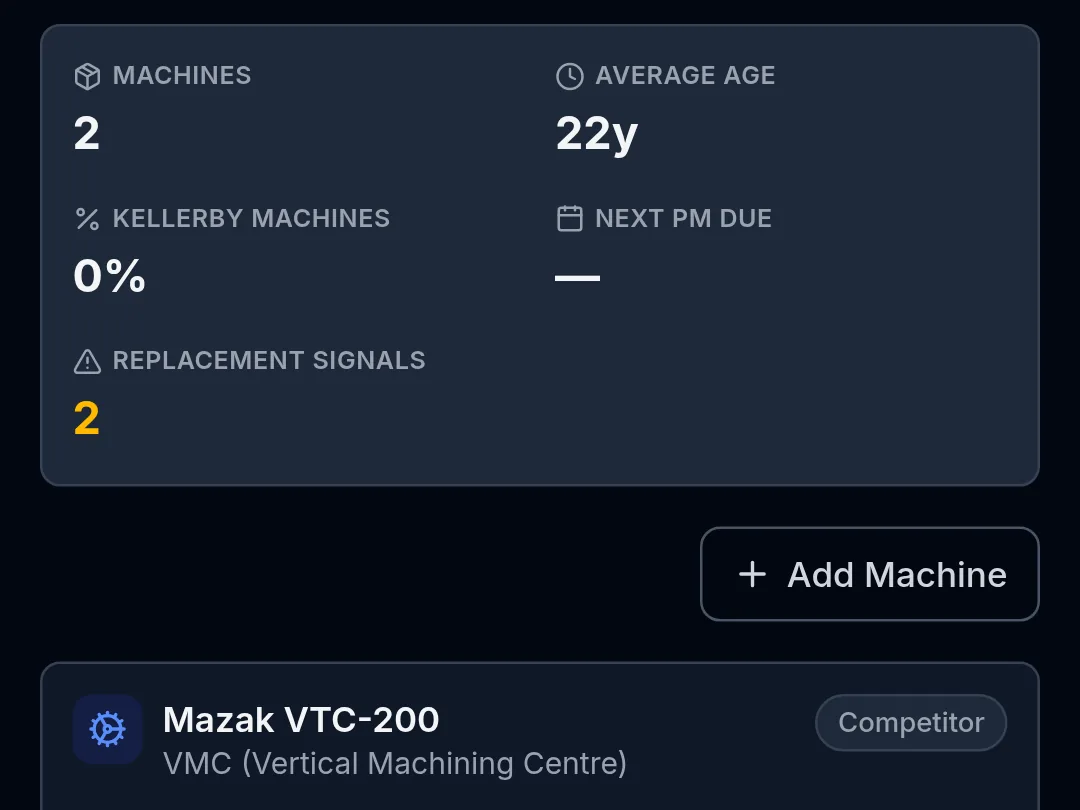
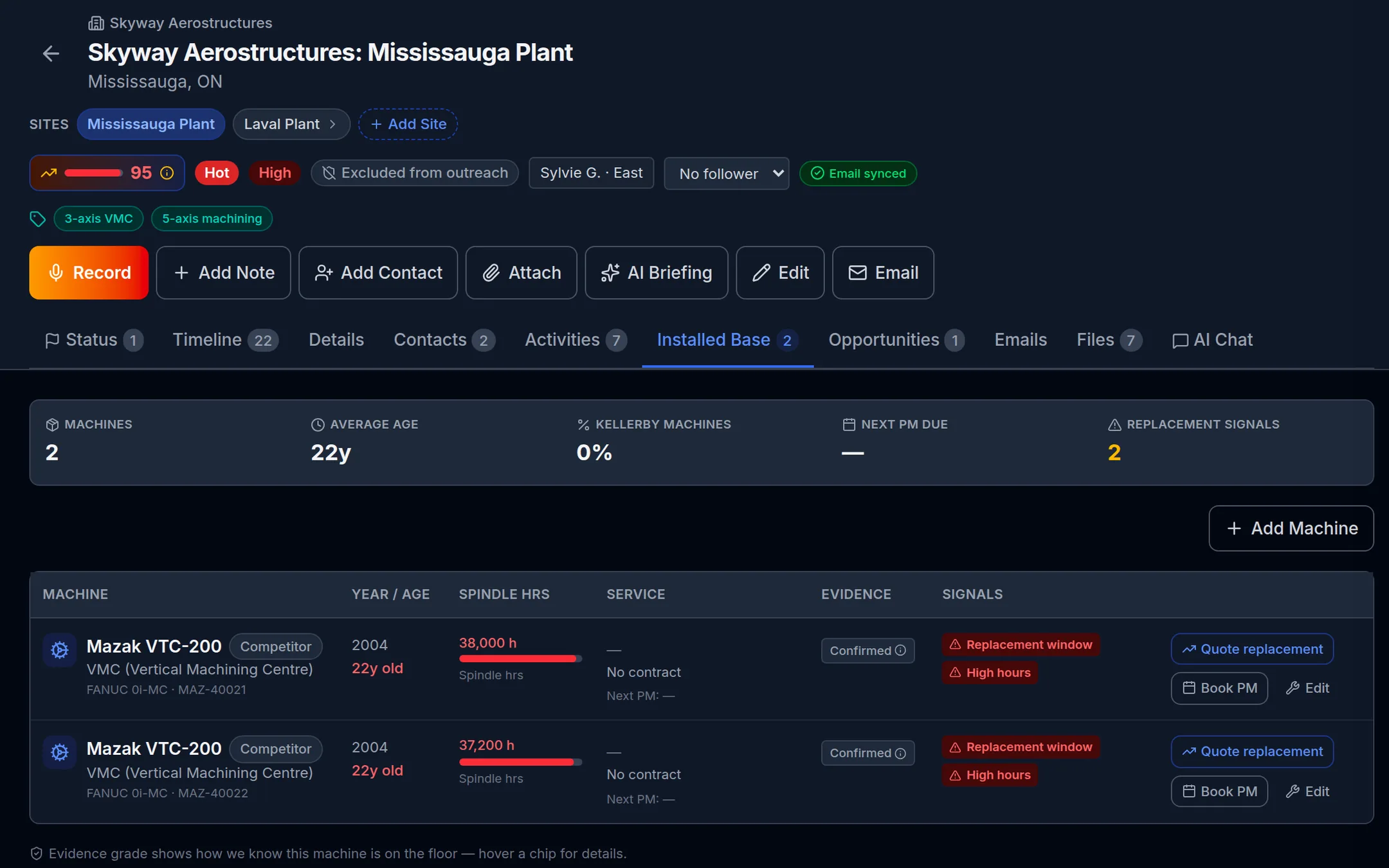
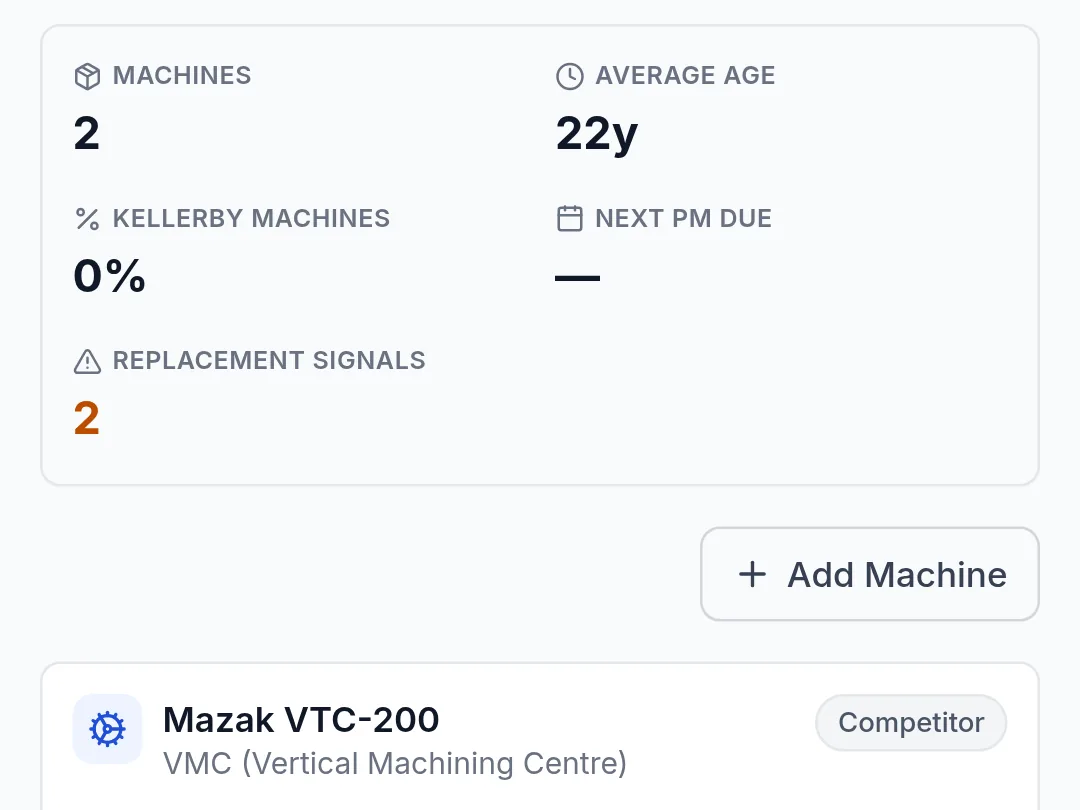
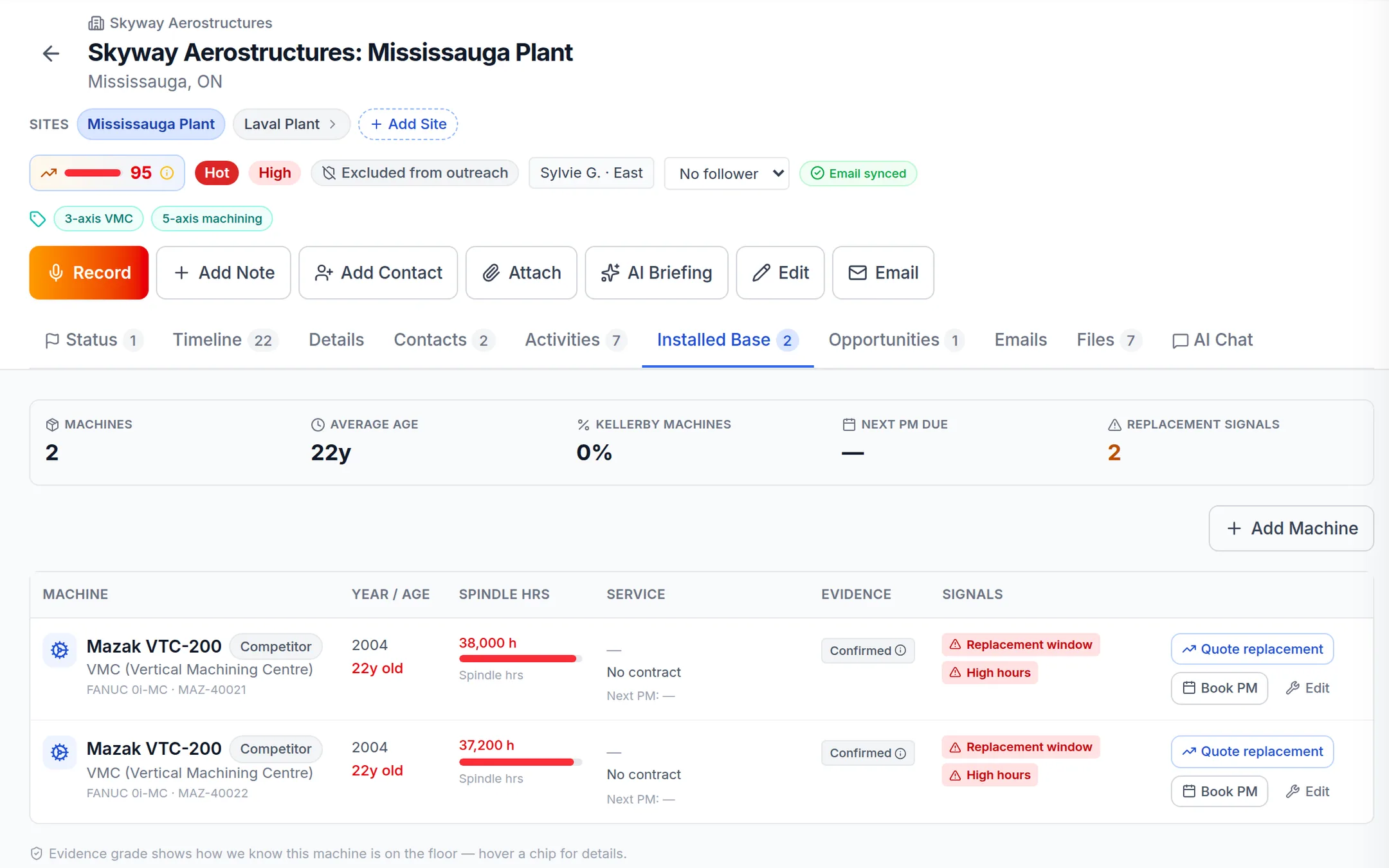
Wednesday. Every customer's floor is on file: each machine's make, model, control and year, its spindle hours, its warranty, every service visit and part. A lot of your next sales are already standing on your customers' floors. Filter your territory by machine age, and the replacement list builds itself. No off-the-shelf CRM gives you that. A warranty or a lease about to end? The rep is told in time to offer a service contract, or start the replacement talk. And when a rep walks in, they know what your tech saw last month. One click on the machine starts the replacement deal.
On screen: Thornfield's three machines with make, model, control, year, spindle hours and warranty; the oldest opens to its service and parts history. A replacement list of older machines across categories. Warranty and lease flags on another shop's newer machines. The tech's note, then a click on “Quote replacement” starts a deal.
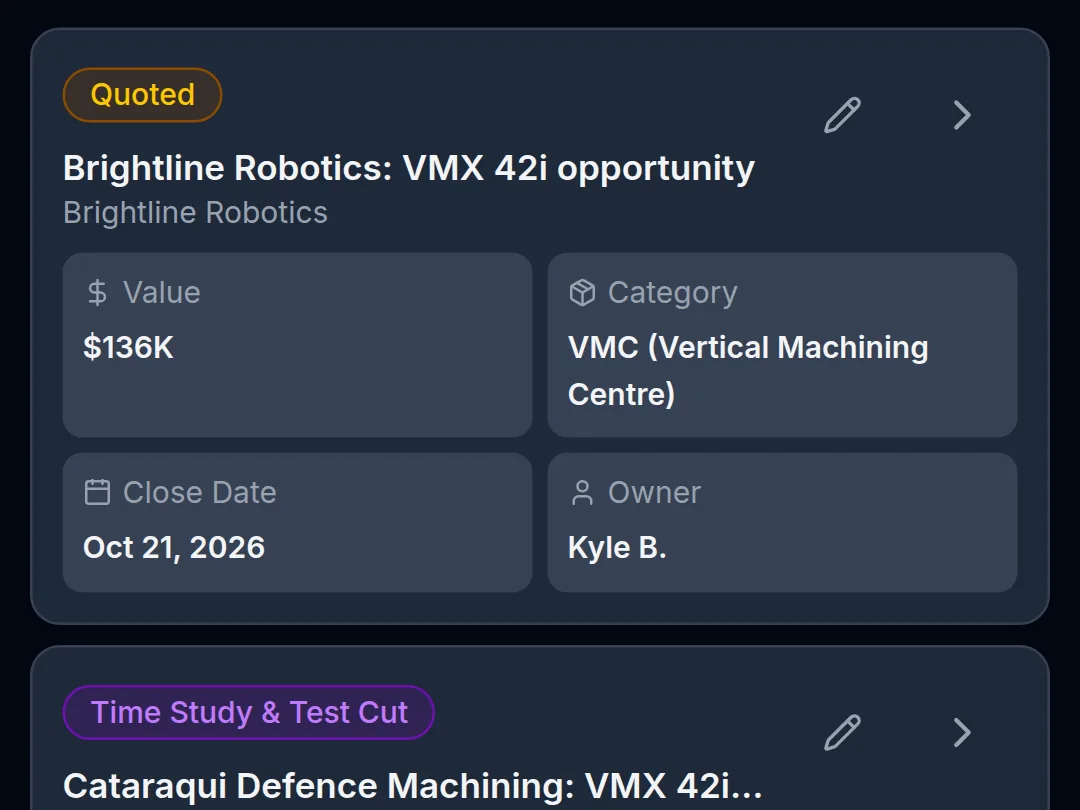
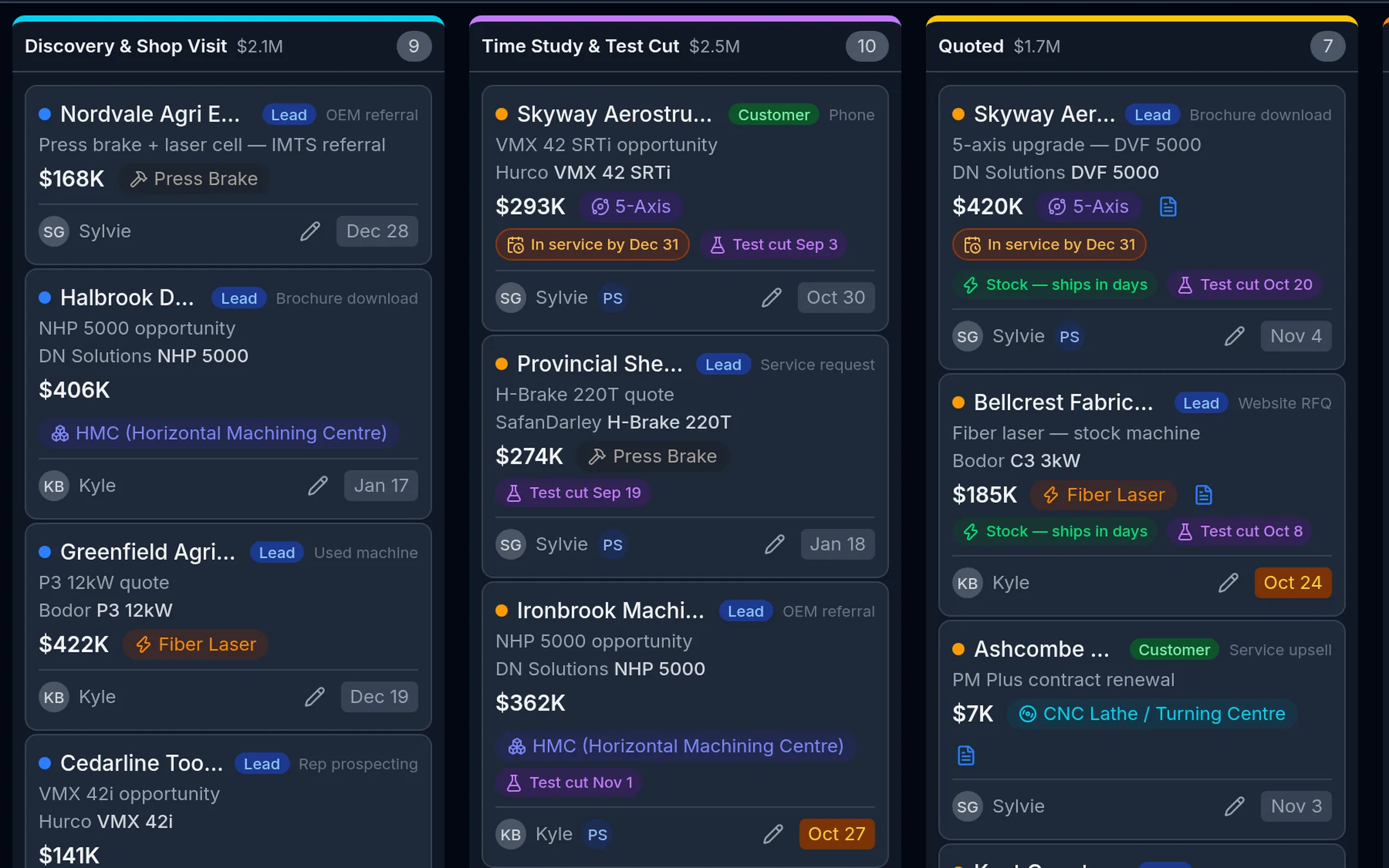
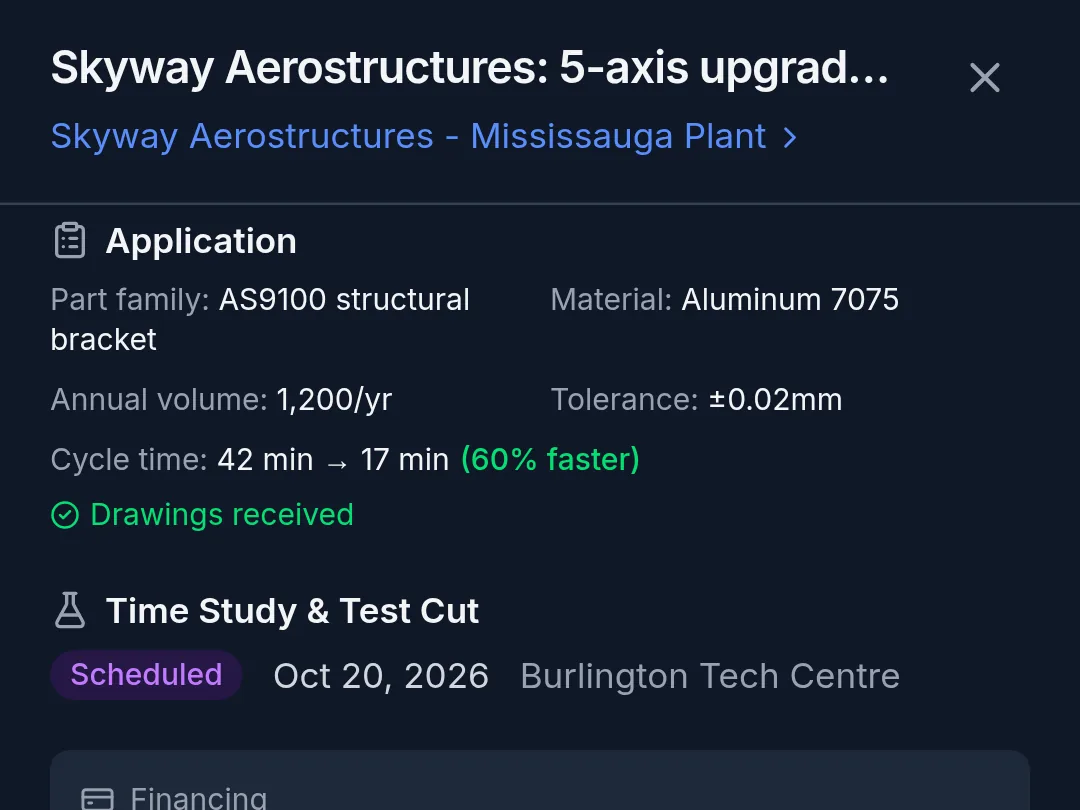
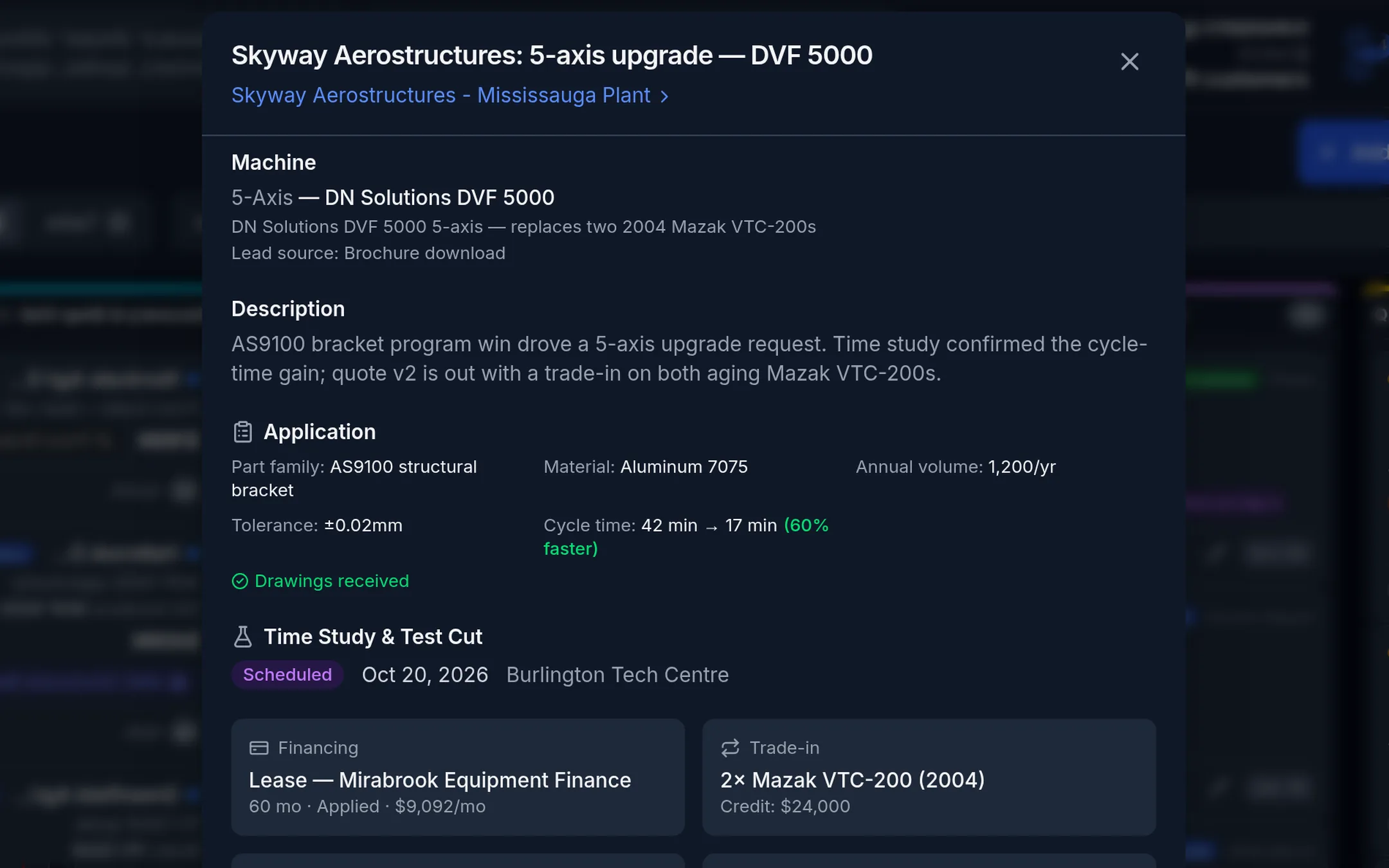
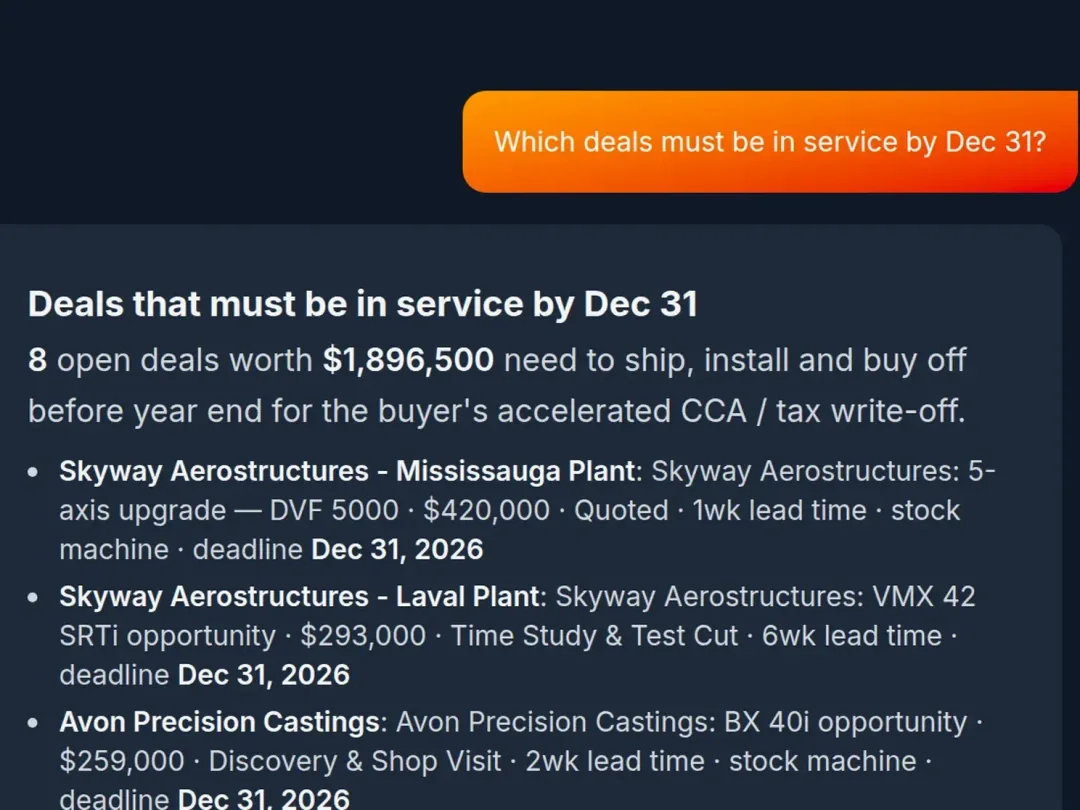
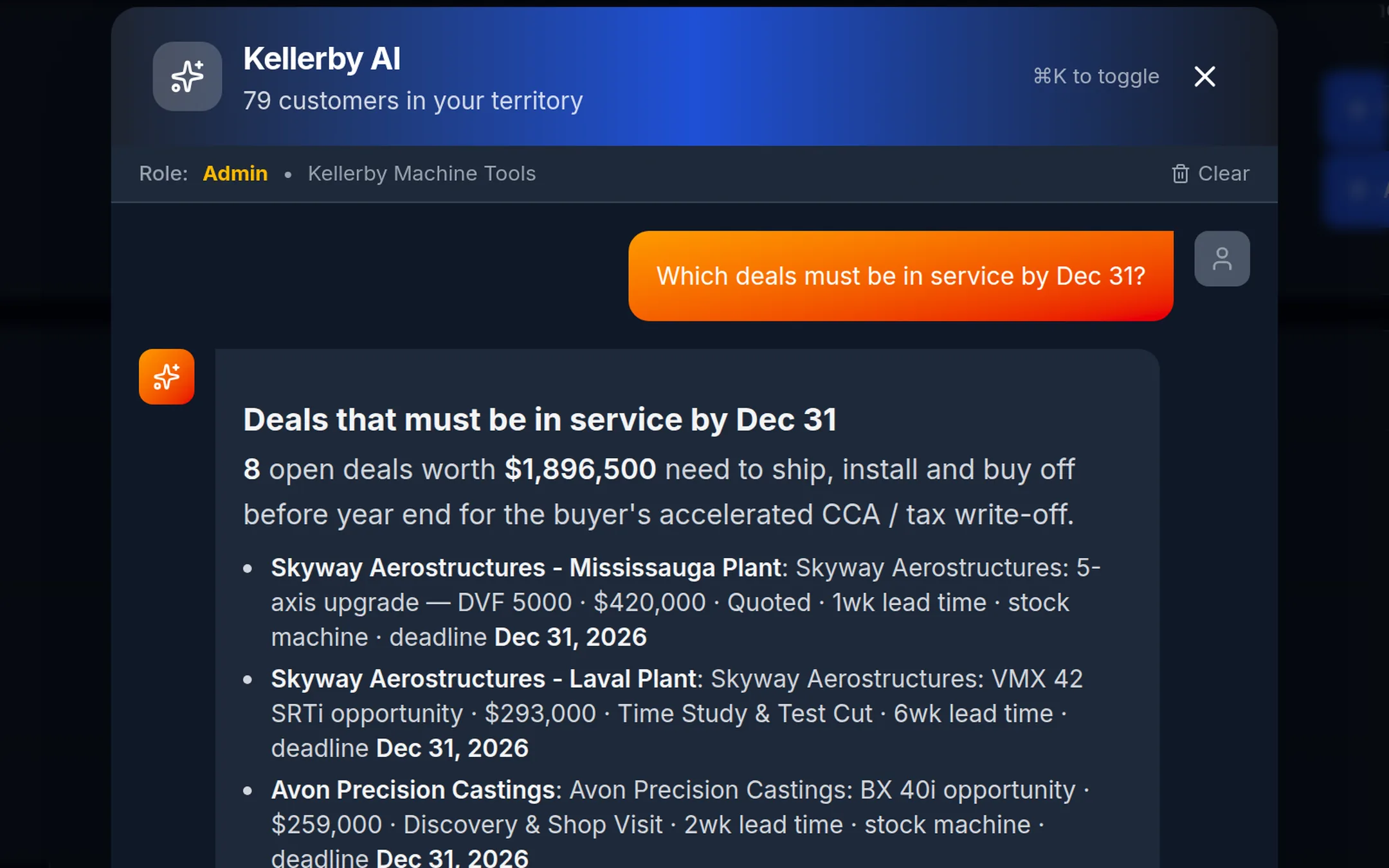
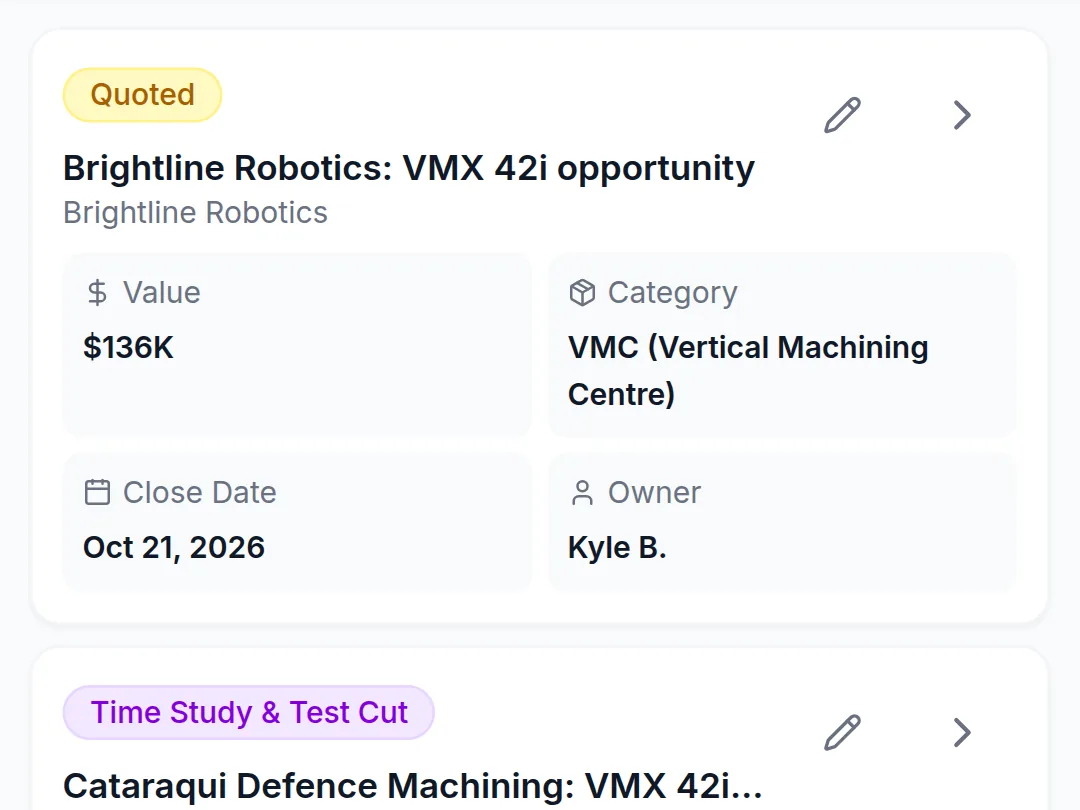
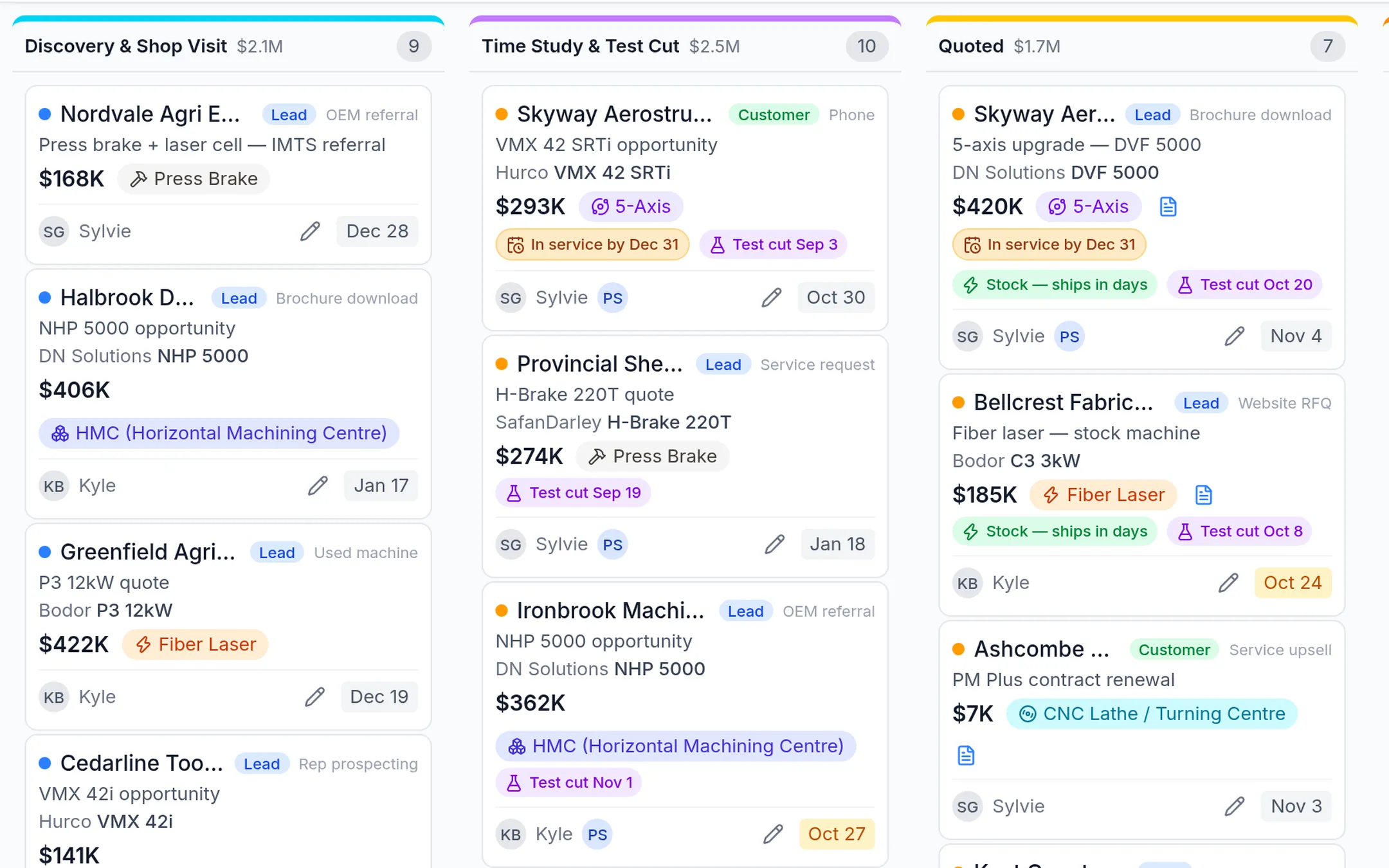
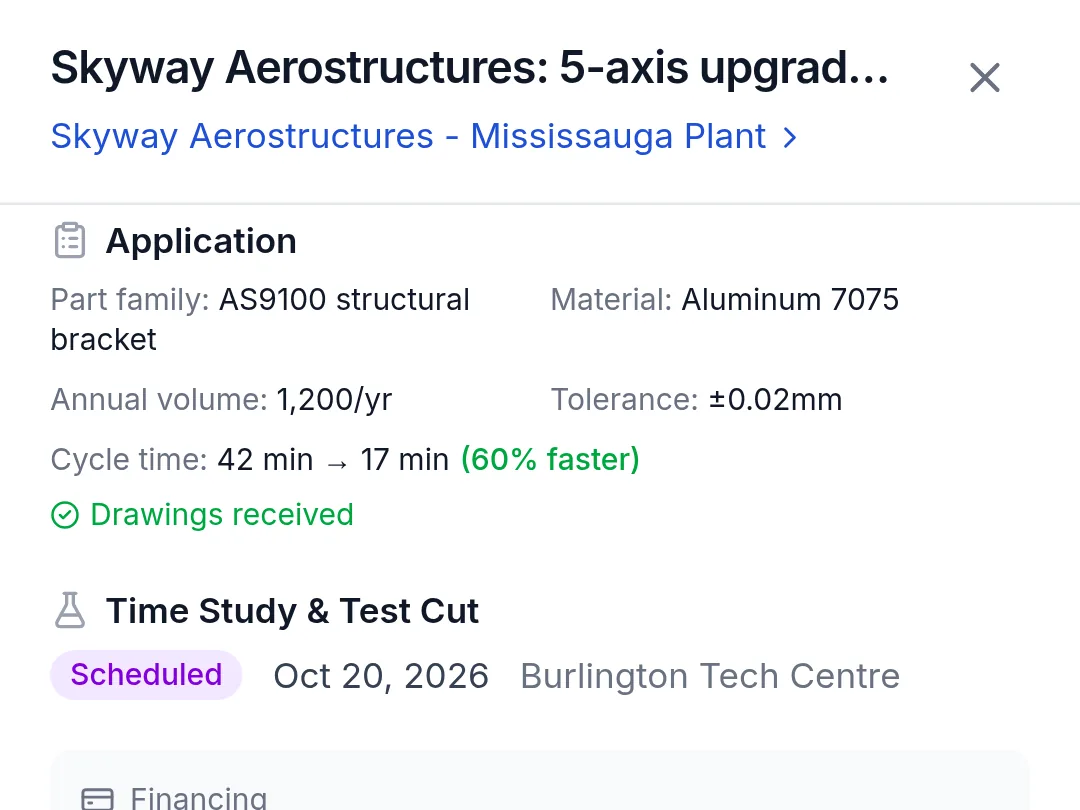
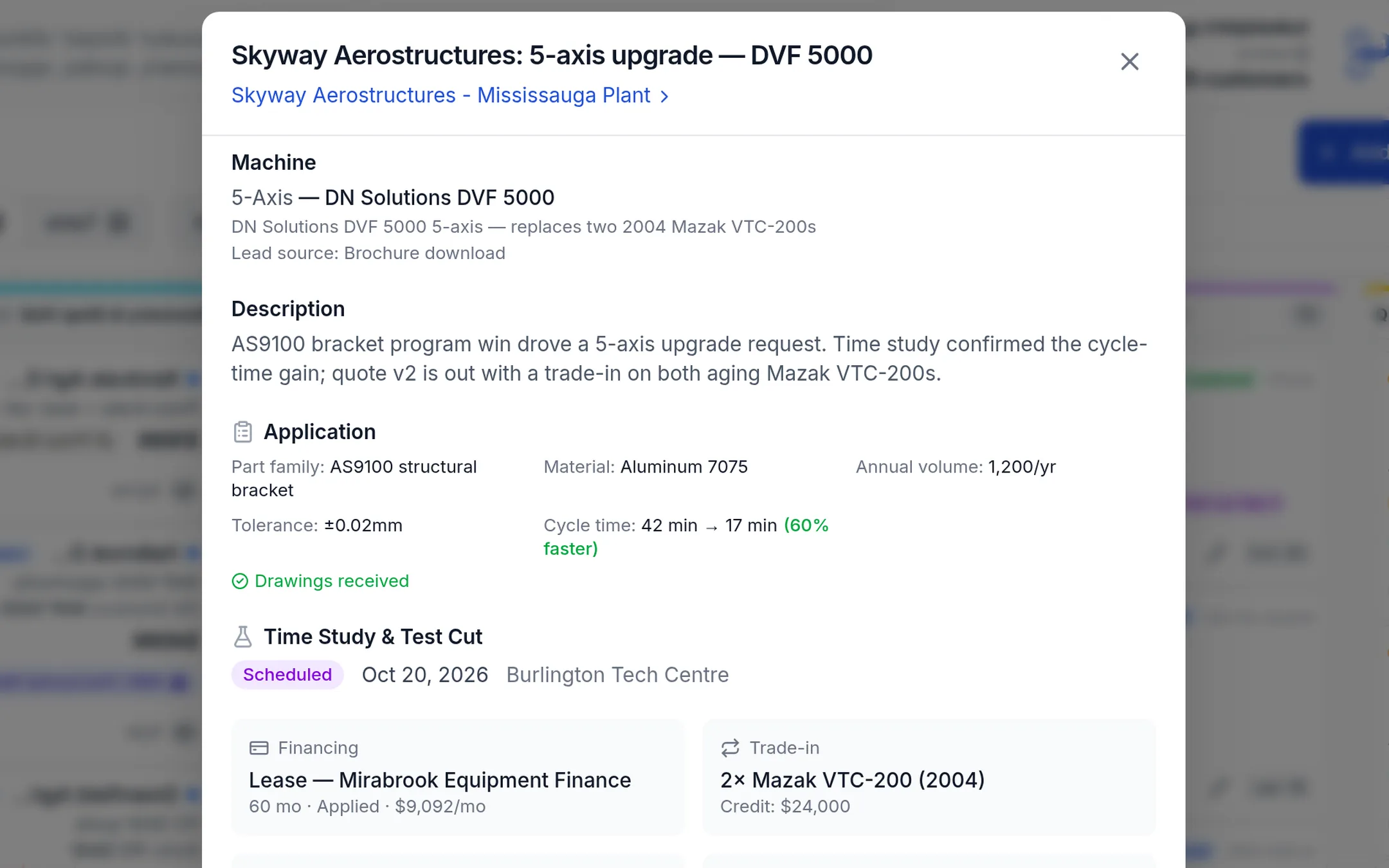
Every deal sits on one board, in your stages: shop visit, time study, budget quote, test cut, quote, financing, PO, install. Thornfield's replacement opens on one screen: the part and its cycle time, the test cut with your applications engineer, the trade-in, the lease. Deals that must be running by December 31 for the year-end write-off are flagged.
On screen: The deal board in the dealer's stages; Thornfield's card is dragged to “Time study”. The deal: the new machine, the part and its cycle time, the test cut, the trade-in and the lease, with no amounts. Three deals flagged “Must run by Dec 31”.
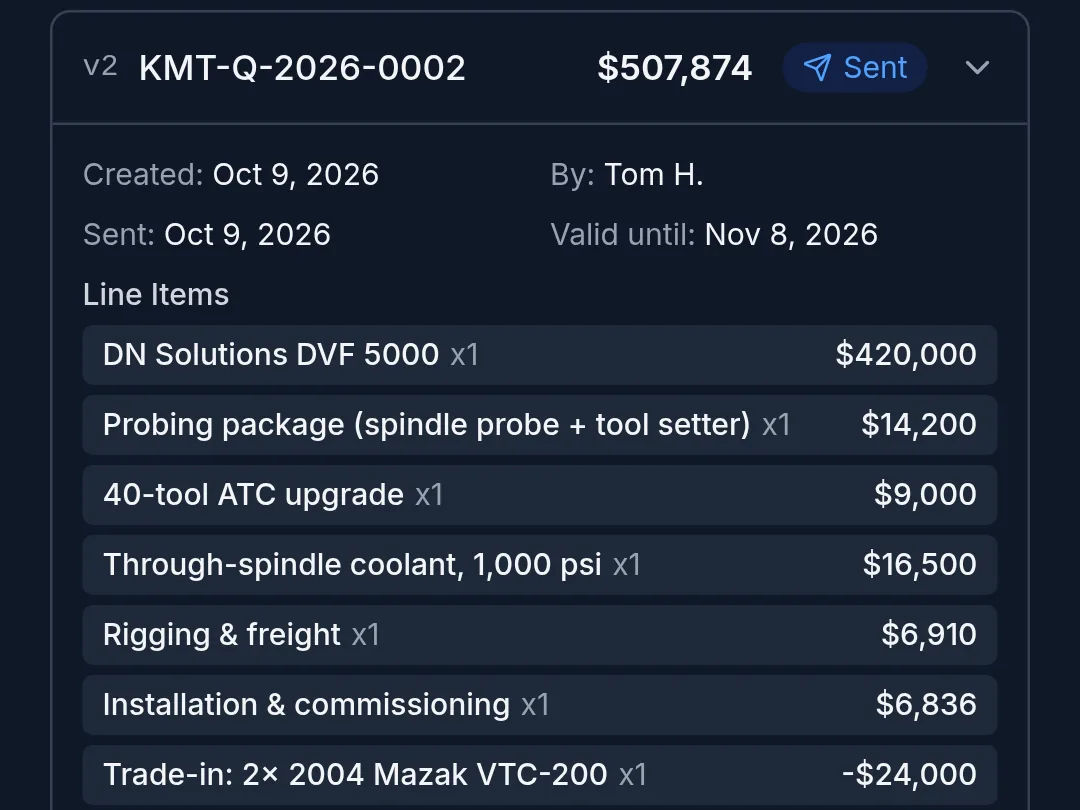
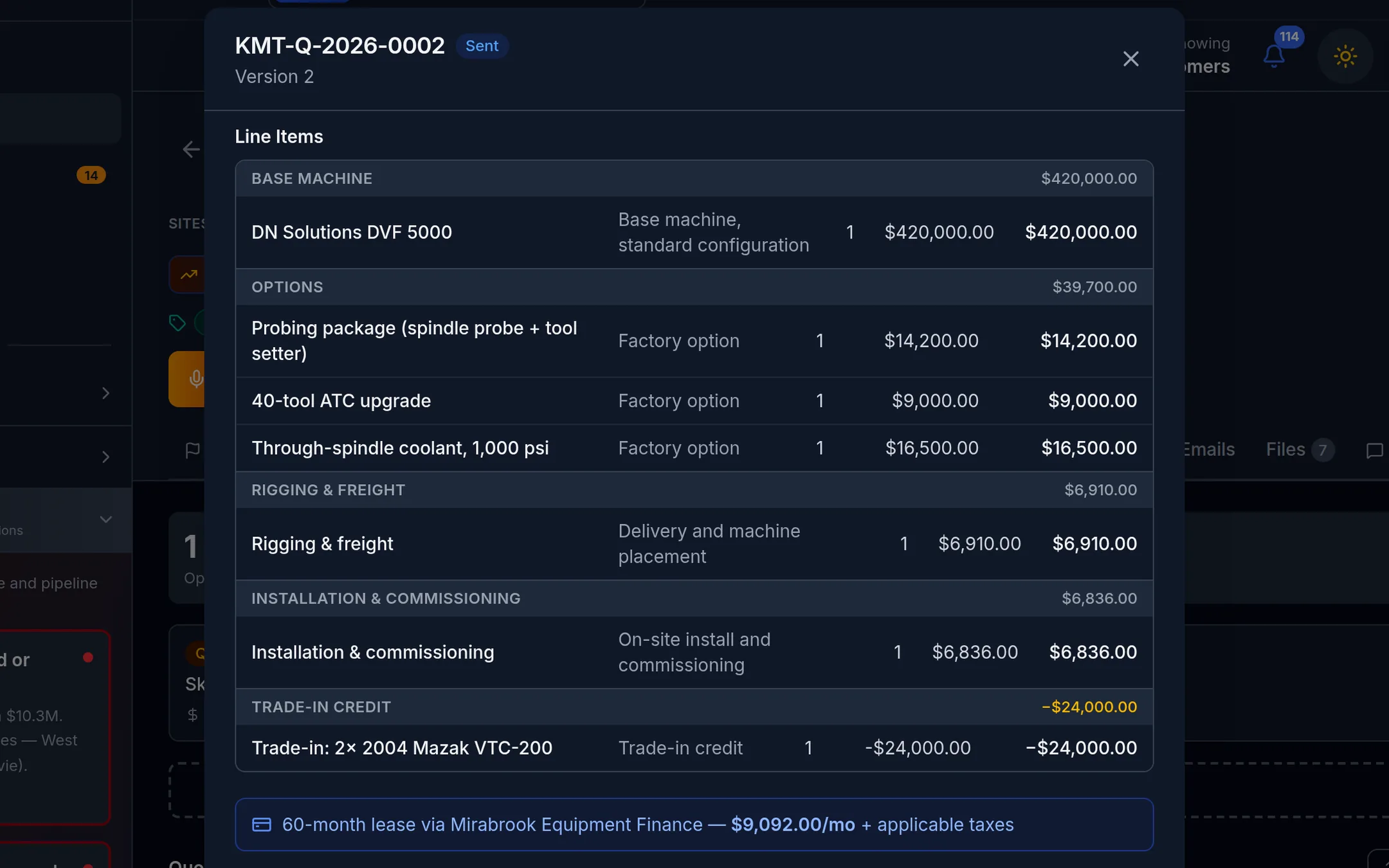
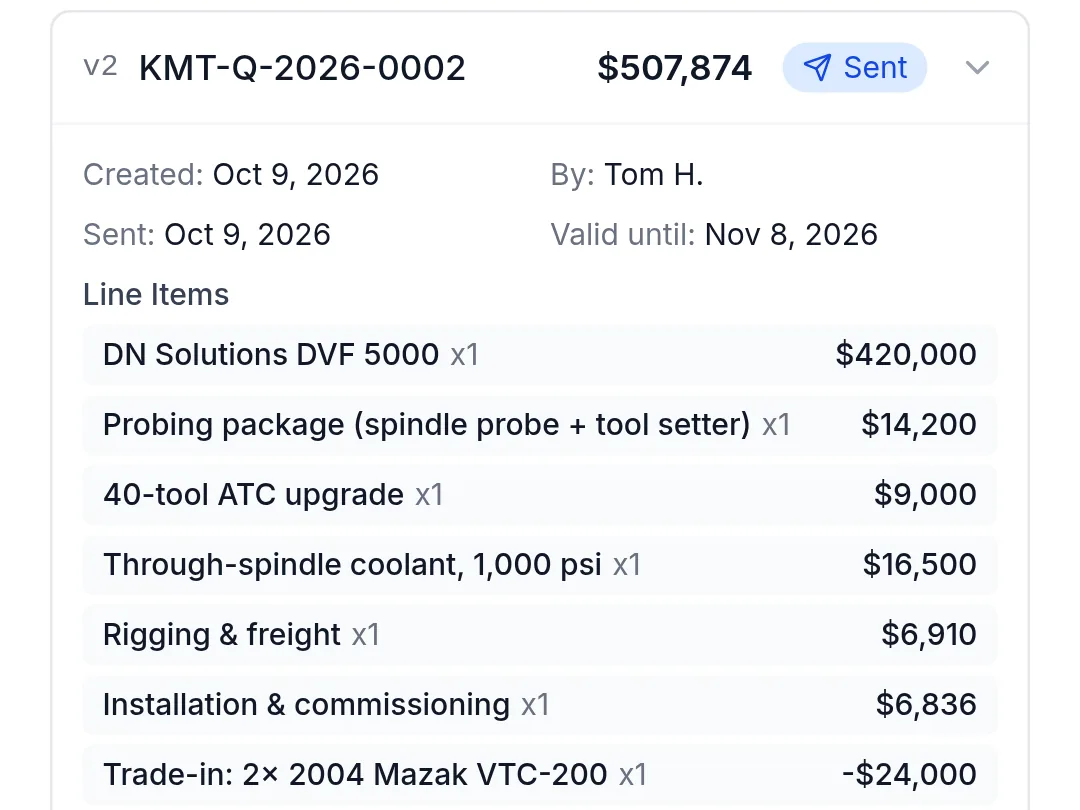
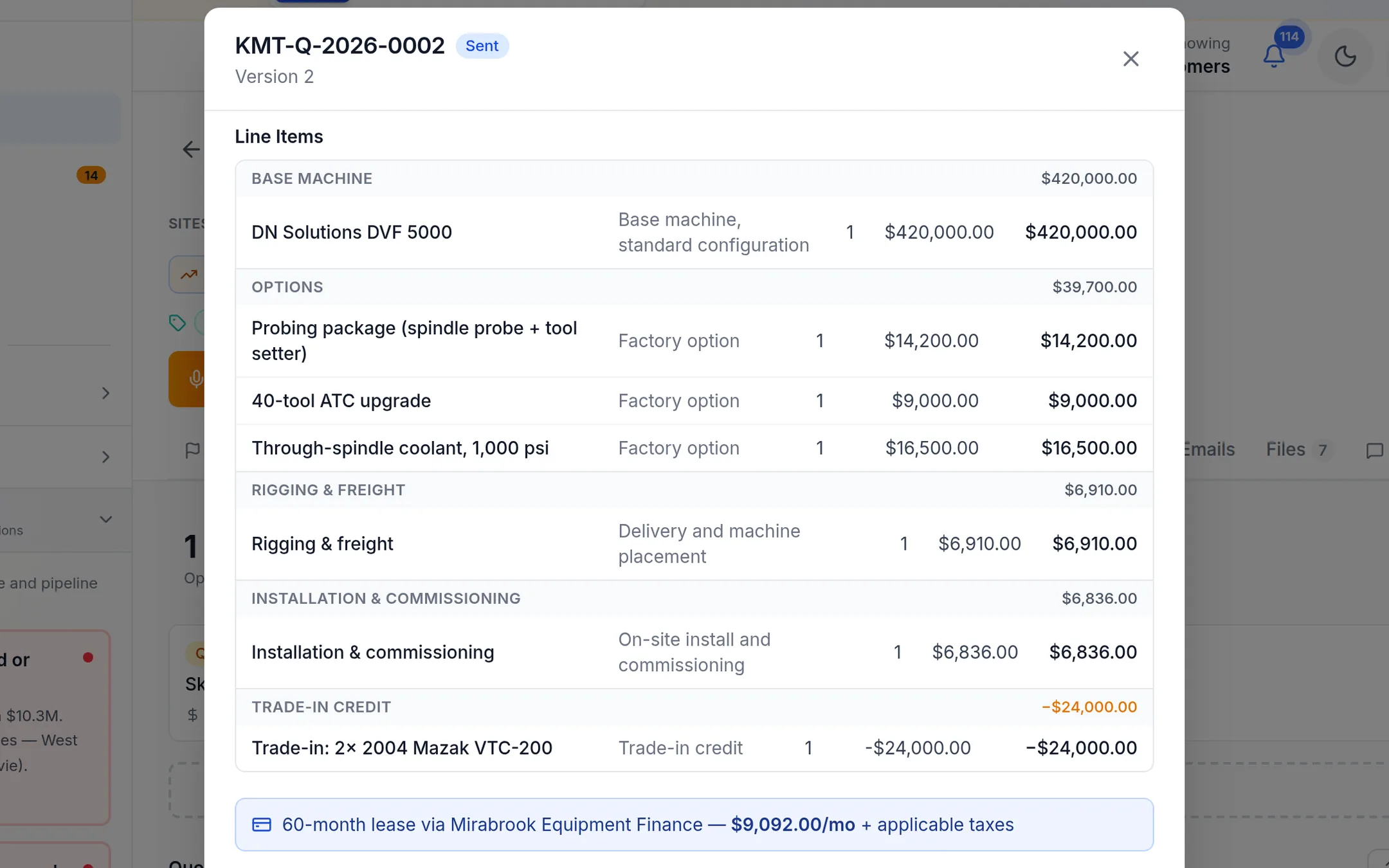
Thursday, quotes: options and tooling, trade-in, freight, rigging, install, training and the monthly lease, under your name, not the builder's. A rep can't go below your minimum margin without a manager's OK. And if the builder wants the deal registered, that's on it too.
On screen: A quote under the dealer's name, its lines without figures. Below the minimum margin it waits for a manager, then “Approved”. “Registered with builder”. Thornfield's budget quote goes from Draft to Sent.
The PO isn't the end of it. Each machine on order is tracked to the customer's floor: ordered, shipped, delivered, installed, trained, bought off.
On screen: An order tracker in six steps, each filling with its date, from ordered to bought off.
Friday. After a show, badge scans and business cards land in that show's own list.
On screen: A trade show's list fills with badge scans and business cards; one is added to the customers, with the show as its source.
And for the owner, the week on one screen: what each rep did, the pipeline by stage and by line, deals won and lost, and why. Which channels brought the real inquiries, and how fast they were answered. The forecast your builders ask for, ready to send. And Thornfield's test cut is on the calendar.
On screen: The owner's screen: each rep's week, the pipeline by stage and by line, deals won and lost with reasons, inquiries by channel with the median first reply, and the builder forecast ready to export. Thornfield's test cut on the calendar.
One week, one system. Thornfield's brochure downloads became a call on Kyle's list, a stop on his route, a replacement deal, a quote, and a test cut on the calendar. Leads from your website, leads from your customers' floors, and every one followed up.
On screen: The week again, five small screens joined by one line: the brochure download, Kyle's list, the route, the deal, the calendar. Inquiries from the website and from customers' floors flow in, and each is ticked as followed up.
After a demo, we spend two days on site with your people, mapping how you really sell, quote and service. We shape the CRM to it, agree on the work with you, and build it. Your customers and machines come over from your spreadsheets or your old CRM, and it replaces them. Nobody keys anything twice.
On screen: How we build yours: a demo, two days on site, shaped to how you work, agreed, built. The board's stages rewrite themselves; a spreadsheet and an old CRM empty into the customer list.
Yours is built to fit the way you sell: your stages, your lines, your territory. We adapt to you, not the other way around.
On screen: Two dealers' boards side by side, a machining dealer's and a fabrication dealer's, with different stages, lines and territories. “We adapt to you, not the other way around.”
Book a demo, and see how it would fit your dealership. cncmarketer.com.
On screen: The CNC Marketer logo, “See how it would fit your dealership.”, a “Book a demo” button and cncmarketer.com. Small print: sample dealer; dealers, customers and figures shown are fictional; machine and product names are trademarks of their owners.
Sample dealer. Dealers, customers and figures shown are fictional. Machine and product names are trademarks of their owners.
One ranked list from buying signals: brochure downloads, quote re-opens, open-house scans.
Who to call today
TodayCascade Tool & Mould
Open-house scan, follow-up due today
88 warm score out of 100
Skyway Aerostructures
Brochure downloaded 4 times in 9 days
84 warm score out of 100
Thornfield Precision
Service report: 3 VMCs over 12 years old
71 warm score out of 100
Bellcrest Fabrication
Re-opened the laser quote twice
64 warm score out of 100
We build each dealer's CRM around its own lines, territory and way of selling. The demo shows what we build.Sample data from our live demo
Website, chat, trade show and phone. Junk and fraud flagged, a response clock on each.
An inquiry from an existing customer goes to their rep, not into a cold campaign.
Model, control, serial, spindle hours, warranty and PM dates for every machine. Replacement windows flagged.
Shop visit, time study, test cut, quote, financing and PO. December 31 deals flagged.
Application, cycle time, test cut, trade-in and the monthly lease payment.
Filter customers by machine age or brand, then plan the week's route.
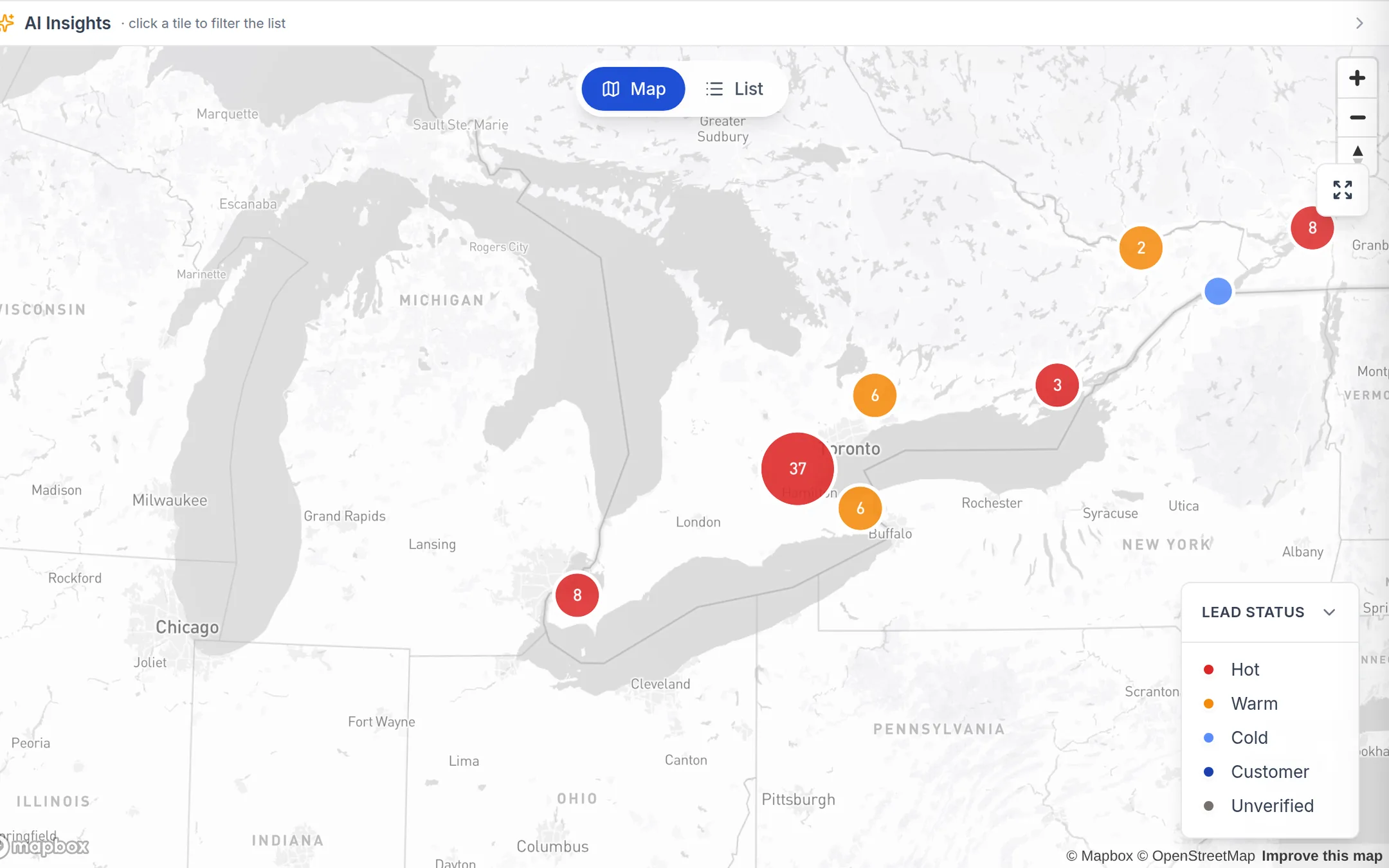
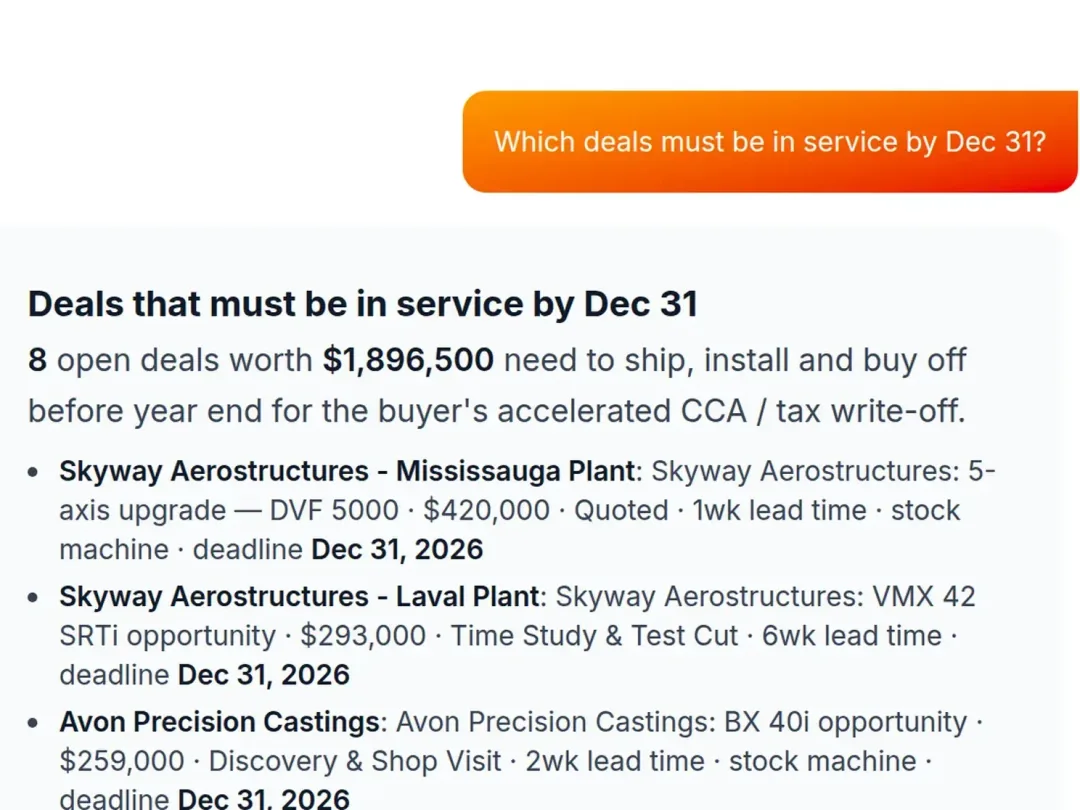
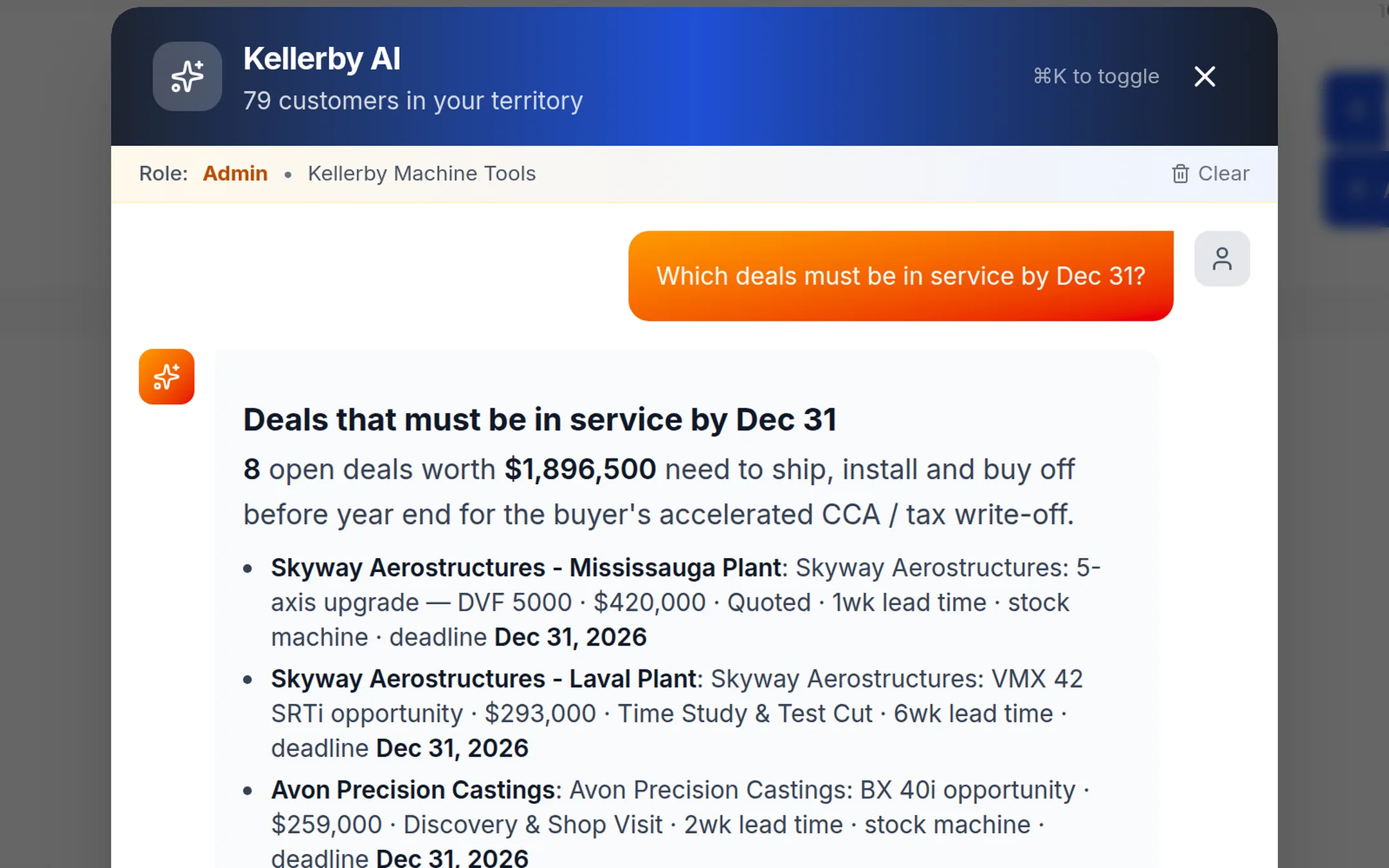
“Which deals must be in service by December 31?” Answered from your own records.
Base machine, options, trade-in credit and the monthly lease on one quote.
They track accounts and deals. A dealer also tracks machines, test cuts, trade-ins and service dates.
Yes. When you run both, we build the connection during setup: website inquiries, chats and brochure downloads reach the CRM.
Yes. Yours is set up for your states, currency and sales tax. The demo dealer is Canadian.
We import them from your spreadsheets or current system before your team starts.
Keep every customer's machines on file, put today's follow-ups at the top of each rep's day, and show where each deal stands.
A general CRM tracks accounts and deals. This one also keeps every machine a customer runs, with service dates, and is built around your lines, territory and sales process.
Yes. Each rep sees their own territory, and the CRM is set up around your lines and sales process.
Ask for access to the live demo of Kellerby Machine Tools, a fictional dealer, or book a demo.